Author: schemaf1

  • How to Add Meta Description in WordPress (Step-by-Step Guide)

    How to Add Meta Description in WordPress (Step-by-Step Guide)

    meta tags in wordpress

    Most WordPress users either ignore meta descriptions entirely or treat them as an afterthought, something to fill in before hitting publish. That’s a mistake. Your meta description is the one piece of copy that lives between your ranking and your traffic. You can hold a position 3 ranking for months and still lose clicks to a position 5 result with a sharper snippet.

    This guide covers exactly how to add a meta description in WordPress, how to write one that actually earns the click, and the less-obvious reasons why even well-written descriptions sometimes get ignored, by users and by Google alike.

    What Is a Meta Description in WordPress?

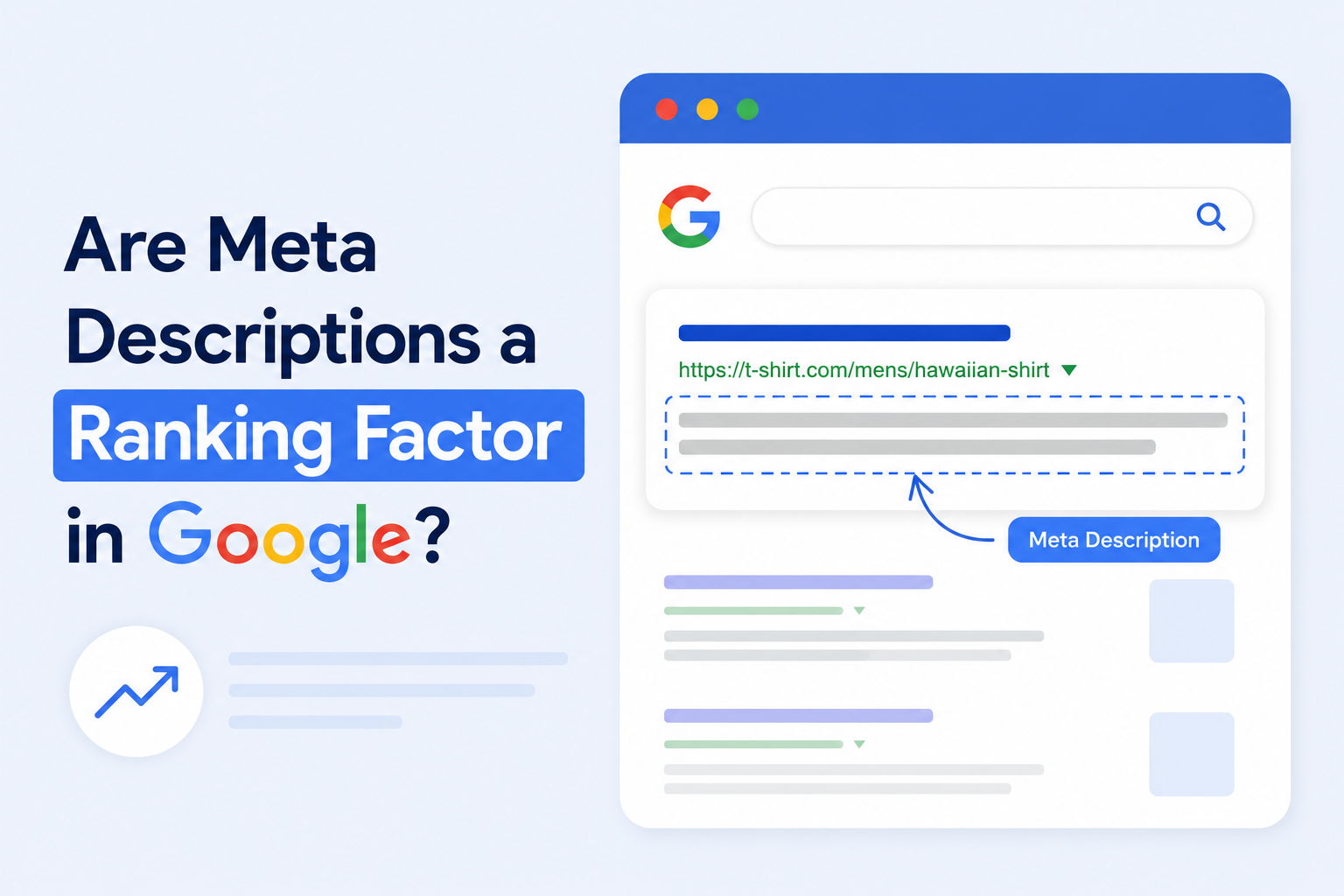
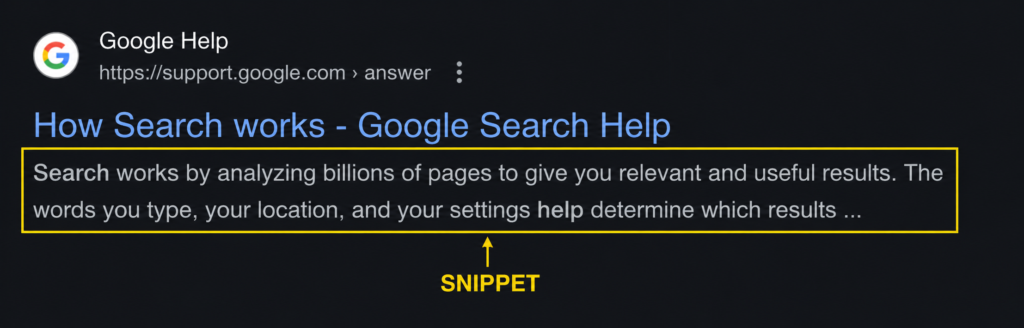
    A meta description is a short HTML tag, typically 140–160 characters, that summarizes the content of a page. In Google search results, it appears as the gray text beneath your page title and URL, forming the bottom third of your SERP snippet.

    title, url and meta description

    ElementWhat It IsWhere It Appears
    Page TitleThe blue clickable linkTop of the SERP snippet
    URLYour page addressBelow the title
    Meta DescriptionYour summary textBelow the URL

    In WordPress, there’s no native meta description field in the core editor. You add it through an SEO plugin, which places the tag inside the <head> section of your HTML, where search engines read it during crawling.

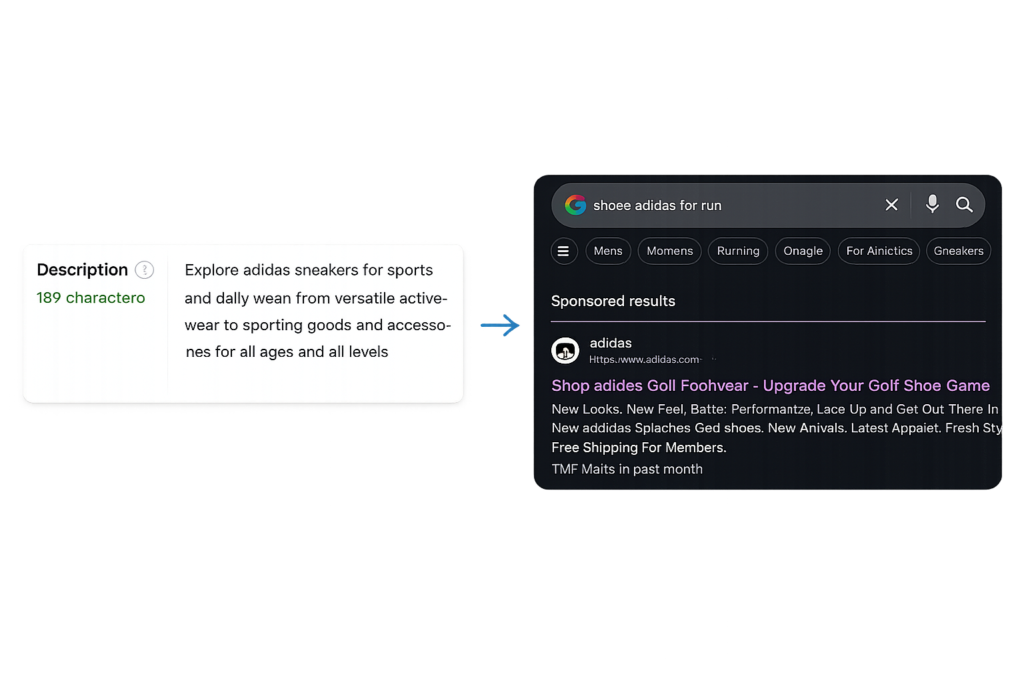
    What most guides don’t mention: Google doesn’t always display the meta description you write. It may substitute its own version pulled from your page content, depending on the search query. That doesn’t mean writing a strong description is pointless, it means writing one that closely mirrors your actual content, so Google has less reason to override it.

    Why Meta Descriptions Matter for SEO

    Meta descriptions are not a direct ranking factor, Google confirmed this years ago and hasn’t reversed course. But framing them as “not a ranking factor” and moving on misses the point entirely.

    Here’s what they actually affect:

    • Click-through rate (CTR): The most direct impact. A well-written snippet earns more clicks from the same position.
    • Perceived relevance: Users scan descriptions to decide if a result matches their intent. A vague or mismatched description gets skipped even when the page is a perfect answer.
    • Brand impression: Your meta description is often the first piece of writing a potential visitor reads from your site. It sets the tone before they ever land on your page.
    • Snippet control: Without a written meta description, Google generates one automatically, usually by pulling a sentence from wherever it sees fit on your page. That passage is rarely the most compelling thing you’ve written.

    The underlying logic is simple: a ranking without clicks is just a number in a report. Meta descriptions convert rankings into actual traffic.

    wordpress seo tips

    How Meta Descriptions Impact Click-Through Rate (CTR)

    CTR is the percentage of people who see your result in the SERPs and click it. The average organic CTR for position 1 is roughly 27–39%, dropping sharply by position 3–5. But these are averages and averages hide a lot of variance driven by snippet quality.

    Consider two pages both ranking in position 3 for “how to add meta description in WordPress”:

    PageMeta DescriptionLikely Winner?
    Page A“Learn about WordPress SEO.”
    Page B“Add a meta description in 4 steps using a free plugin – no coding needed.”

    Page B earns more clicks without moving a single position. At scale, across dozens of pages with mediocre snippets, the cumulative traffic difference is significant. And unlike improving rankings, improving meta descriptions is something you can do in an afternoon.

    Where Do I Add Meta Description in WordPress?

    Short answer: Through an SEO plugin, directly inside the page or post editor.

    Adding Meta Descriptions Using Schemafy SEO

    1. Open the page or post you want to edit
    2. Scroll below the content editor to the Schemafy SEO panel
    3. Find the Meta Description field and enter your text
    4. Check the live SERP preview to confirm nothing is cut off
    5. Click Update or Publish

    Can You Add Meta Descriptions Without a Plugin?

    Yes, but it’s not recommended unless you’re maintaining a custom theme.

    MethodProsCons
    SEO PluginEasy, visual preview, no codingAdds a plugin to your stack
    Manual (PHP)No plugin neededRequires coding, hard to manage, no preview

    The manual approach involves editing your theme’s functions.php or header.php to insert a <meta name=”description”> tag with conditional logic per page type. It works,  but it creates maintenance debt and offers none of the management features that make plugins worth using.

    How to Add Meta Description in WordPress (Step-by-Step)

    Step 1: Install an SEO Plugin

    Go to Plugins → Add New, search for Schemafy SEO, install and activate it. This immediately unlocks meta description fields across all pages, posts, and custom post types on your site.

    Step 2: Open Your Page or Post

    Navigate to Pages or Posts in your dashboard, then click Edit on the content you want to optimize. You can also add the meta description while creating a new page before publishing.

    Step 3: Locate the Meta Description Field

    Scroll below the content editor until you see the Schemafy SEO panel. If you don’t see it:

    • Confirm the plugin is activated under Plugins → Installed Plugins
    • Check that the panel isn’t collapsed (look for a toggle arrow on the right)
    • Make sure you’re not in full-screen editor mode, which hides sidebar panels

    Step 4: Write and Preview Your Meta Description

    • Type your description in the field (aim for 140–160 characters)
    • Use the live SERP preview to see how it renders in Google
    • Adjust if text gets truncated
    • Hit Update or Publish

    How to Write a High-Converting Meta Description

    This is where most guides stop at surface-level advice, “include your keyword, keep it short, use a CTA.” All true, but not enough. Writing a meta description that consistently earns clicks requires understanding what users are actually evaluating in the two seconds they spend reading it.

    Users scanning a SERP are making a rapid judgment call: does this result understand what I’m looking for, and is it worth my time? Your meta description needs to answer both questions before they move on.

    Keep It Within the Right Length

    Character limits matter, but they’re not absolute. Google measures snippet length in pixels, not characters, which means a description full of wide letters (W, M) may truncate earlier than one with narrower characters (i, l, t). The 140–160 range is a reliable practical guideline, not a guarantee.

    LengthResult
    Under 120 charactersUnderusing available space, missed opportunity
    140–160 characters✅ Ideal range for most queries
    Over 160 charactersTruncated in SERPs, message gets cut before landing

    The practical rule: write to 150 characters, preview it in your SEO plugin, and trim if the SERP simulator shows a cutoff.

    Include Your Target Keyword Naturally

    Including your primary keyword has two distinct benefits. First, it signals relevance, users immediately see their search term reflected back in the snippet. Second, Google bolds matching keywords in the description, which draws the eye and increases visual prominence in a crowded SERP.

    Place the keyword in the first half of the description so it’s visible even on mobile, where display widths are narrower. And use it once, repeating it doesn’t improve performance, it just makes the copy read as low-quality.

    One nuance worth knowing: Google often rewrites descriptions for queries where your page ranks for a keyword variant you didn’t target. If you’re ranking for both “add meta description WordPress” and “WordPress meta description tutorial,” Google may pull different snippet text for each query. That’s a feature, not a bug, it means your page is being shown in context, even if your written description isn’t always displayed.

    Add a Clear Value Proposition

    The most common meta description failure isn’t bad writing, it’s the absence of a reason to click. Descriptions that summarize content without communicating what the user gains from clicking are structurally weak, regardless of how well-crafted the prose is.

    WeakStrong
    “This article is about meta descriptions.”“Learn to add a meta description in WordPress in 4 easy steps.”
    “We cover WordPress SEO tips.”“Boost your CTR with optimized meta descriptions, no coding needed.”
    “A guide to writing better snippets.”“Write meta descriptions that earn more clicks, with real examples.”

    The shift is from describing the page to describing the outcome for the reader. It’s a small reframe with a measurable impact on CTR.

    Use Action-Oriented Language

    The opening word of your meta description has disproportionate weight. Passive constructions (“This page contains…”, “Information about…”) register as low-effort and get skipped. Action verbs create forward momentum and signal that clicking will result in something useful happening.

    Strong openers:

    • ✅ Discover, Learn, Get, Find out, Start, See, Unlock, Master, Fix

    Weak openers to avoid:

    • ❌ This page…, An overview of…, Information about…, We explain…

    A secondary technique: close your description with a soft CTA or a benefit restatement. “…no coding needed.” or “…in under 5 minutes.” These micro-promises reduce friction at the moment of decision.

    Meta Description Examples (Good vs Bad)

    ✅ Example of a Well-Optimized Meta Description

    “Learn how to add a meta description in WordPress in 4 easy steps. Use Schemafy SEO to write, preview, and publish high-converting snippets, no coding required.”

    Why it works:

    • Target keyword appears in the first sentence
    • Specifies the outcome (4 steps, concrete, low-commitment)
    • Names the tool (builds specificity and trust)
    • Closes with an objection handler (“no coding required”)
    • Fits within 160 characters

    ❌ Example of a Poor Meta Description

    “This page is about meta descriptions in WordPress and SEO plugins and how you can add meta descriptions to your pages and posts using various plugins and tools available for WordPress users.”

    Why it fails:

    • Repeats “meta descriptions” three times, looks like keyword stuffing
    • Zero value proposition, tells the reader nothing about what they gain
    • Runs well over 160 characters, guaranteed truncation mid-sentence
    • Opens with “This page is about”, the weakest possible construction

    Common Meta Description Mistakes to Avoid

    MistakeWhy It HurtsFix
    Keyword stuffingLooks spammy, signals low qualityUse the keyword once, naturally
    Being too vagueGives no reason to clickAdd a specific benefit or outcome
    Exceeding 160 charsGets cut off mid-sentenceStay within 140–160 and preview it
    Duplicate descriptionsReduces per-page relevance signalsWrite a unique description per page
    No call to actionPassive, easy to scroll pastStart or close with an action verb

    Keyword Stuffing

    The logic behind keyword stuffing is understandable, if one mention is good, more should be better. It isn’t. Users read meta descriptions as copy, not as keyword lists. A snippet that repeats the same phrase three times reads as automated and low-effort, which pushes users toward the next result. One natural mention is always the ceiling, not the floor.

    Being Too Vague or Generic

    “Learn more about our services” and “Read this article for helpful tips” are placeholders, not descriptions. They convey nothing about the page’s specific value and give the user no basis for choosing your result over any other. Every meta description should be able to answer a simple test: if someone read only this text, would they know exactly what they’d get by clicking?

    Exceeding Character Limits

    Writing 200 characters doesn’t earn extra display space, Google cuts off at approximately 160 characters and appends an ellipsis. The problem isn’t just aesthetic. When a description gets truncated mid-sentence, the message arrives incomplete, and an incomplete message is almost always less compelling than a well-contained one. Write shorter, preview before publishing.

    Do Meta Descriptions Affect Rankings?

    What Google Says About Meta Descriptions

    Google has been consistent on this: meta descriptions are not used as a ranking signal. The algorithm processes hundreds of factors, content quality, backlink authority, Core Web Vitals, topical relevance, user engagement and the text in your meta tag is not among them.

    That said, the separation between “not a ranking factor” and “irrelevant to SEO” is wider than most people assume.

    FactorMeta Description Impact
    Direct ranking signal❌ Not used by Google’s algorithm
    Click-through rate (CTR)✅ Strong influence
    User engagement signals✅ Indirect benefit over time
    Keyword bolding in SERPs✅ Increases visual prominence

    The indirect pathway matters: a page that consistently earns a higher CTR than competitors at the same position sends behavioral signals that can contribute to ranking stability and, over time, ranking improvement. It’s not a direct lever, but it’s not irrelevant either.

    When Google Rewrites Your Meta Description

    Studies have shown Google rewrites meta descriptions more than 60% of the time a figure that surprises most site owners who assume their written description is what users see.

    Google rewrites when:

    • Your description doesn’t match the search query. Google tries to show the most relevant snippet for each specific search. If a user queries something more specific than your description addresses, Google pulls from page content instead.
    • Your description is too short, vague, or generic. Google treats these as placeholders and replaces them with something it considers more informative.
    • Your page has a passage that directly answers a long-tail query. For informational queries especially, Google may prefer a specific excerpt that matches user intent better than a general summary.

    The practical implication: writing a strong meta description doesn’t guarantee it’ll be shown, but it raises the probability. And even when Google rewrites it, a well-structured page with clear, specific content gives Google better raw material to pull from, which means the auto-generated version is more likely to be good.

    Final Thoughts: Optimizing Meta Descriptions for Better Clicks

    Meta descriptions won’t move your rankings directly, but they sit at the exact point where a ranking becomes traffic, or doesn’t. For pages that already rank, improving the meta description is one of the fastest, lowest-effort ways to increase organic visits without touching the content itself.

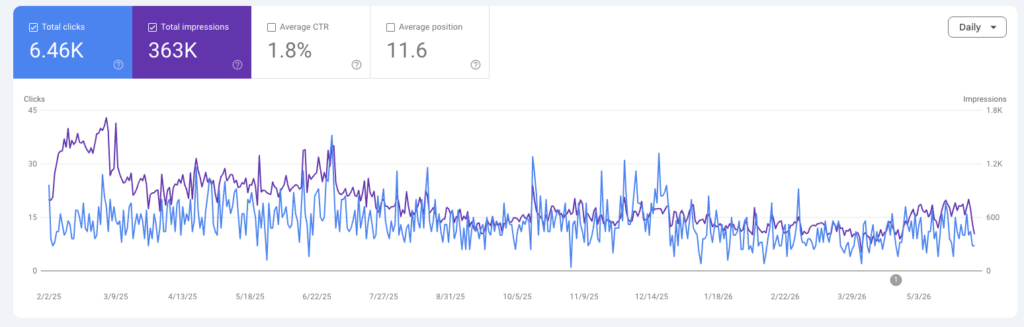
    The pages worth prioritizing first: those already ranking on page 1 with below-average CTR. You can identify these in Google Search Console by filtering for high impressions, low clicks, and positions between 1–10. Those are the pages where a better snippet has the most immediate upside.

    Quick action checklist:

    • Install an SEO plugin (Schemafy SEO)
    • Write a unique description for every key page
    • Keep it between 140–160 characters
    • Include your target keyword in the first half
    • Lead with a clear benefit, what does the reader gain?
    • Open or close with an action verb
    • Preview in the SERP simulator before publishing
    • Review GSC CTR data after 4–6 weeks and iterate

    FAQs

    What is a meta description in WordPress?

    A meta description in WordPress is a short HTML tag, typically 140–160 characters, that summarizes a page’s content and appears as the snippet text below your title in Google search results. WordPress doesn’t include a native field for it; you add it through an SEO plugin.

    How do I add a meta description in WordPress?

    1. Install an SEO plugin like Schemafy SEO
    2. Open the page or post in the editor
    3. Enter your text in the Meta Description field below the content editor and save

    Where do I add a meta description in WordPress?

    In the SEO plugin panel below the WordPress content editor. In Schemafy SEO, the field is labeled Meta Description and includes a live character count and SERP preview.

    What is the ideal length for a meta description?

    140–160 characters. Anything longer gets truncated by Google with an ellipsis. Write to around 150, then preview it in your plugin to confirm nothing is cut off.

    Do meta descriptions affect SEO rankings?

    Not directly, Google has confirmed meta descriptions aren’t a ranking signal. But they strongly influence CTR, which affects how much traffic a ranked page actually generates. More clicks from the same position is the practical goal.

    Why is my meta description not showing in Google?

    Google rewrites meta descriptions in over 60% of cases. The most common reasons:

    • Your description doesn’t closely match the user’s search query
    • It’s too vague or generic for Google to consider useful
    • A specific passage on your page answers the query more directly

    Can I add a meta description without a plugin?

    Yes, but it requires editing your theme’s PHP files, not recommended for most users. SEO plugins are faster, safer, and include SERP preview functionality that makes the process significantly more reliable.

    Which plugin is best for meta descriptions in WordPress?

    Schemafy SEO offers a clean interface with character counting, live SERP preview, and easy management across all pages and posts.

    Can I use the same meta description for multiple pages?

    No. Duplicate meta descriptions reduce your ability to target different keywords and audiences. Each page should have a unique description written for its specific content and intent.

    How do I write a high-converting meta description?

    • Place your target keyword naturally in the first half
    • State a specific benefit the reader gains by clicking
    • Open or close with an action verb
    • Keep it between 140–160 characters

    What happens if I don’t add a meta description?

    Google auto-generates one from your page content, usually pulling whatever passage it considers most relevant to the query. You lose control over your messaging, and the auto-generated version rarely leads with your strongest value proposition.

    How do I edit meta descriptions for multiple pages at once?

    Use the bulk editing view in your SEO plugin’s content table. You can also use GSC data to identify which pages have the most to gain (high impressions, low CTR) and prioritize those first.

    Why is my meta description too long in Google?

    Your description exceeds approximately 160 characters. Google truncates anything beyond its pixel-width display limit and adds an ellipsis. Trim it and preview it before republishing.

    Should I include keywords in my meta description?

    Yes, once, placed naturally in the first half. Google bolds matching keywords in the snippet, which increases visual prominence. Don’t repeat the keyword; one well-placed instance is enough.

    How often should I update meta descriptions?

    Revisit them when your content changes significantly, when you shift keyword targets, or when GSC shows a page with high impressions and a declining CTR. There’s no fixed schedule, use performance data to drive the decision.

  • Homepage Meta Description Examples: Best Practices + Real Examples That Drive Clicks

    Homepage Meta Description Examples: Best Practices + Real Examples That Drive Clicks

    A meta description can be the difference between a click and a scroll-past. Yet most websites treat it as an afterthought. This guide covers everything you need to write homepage meta descriptions that rank for intent, earn the click, and drive real traffic.

    What Is a Homepage Meta Description?

    A homepage meta description is an HTML attribute, typically 140 – 160 characters,  that summarizes the content of your website’s main page. Search engines like Google display it below your page title in the search results, giving users a preview of what to expect before they click.

    Think of it as your homepage’s pitch: a single sentence (or two) that answers “Why should I click this instead of the others?”

    Here’s an example of what the HTML looks like:

    <meta name=”description” content=”Discover 50+ homepage meta description examples by industry, plus best practices and templates to boost your CTR in 2025.”>

    Where Does the Meta Description Appear in Search Results?

    In a standard Google SERP (Search Engine Results Page), three elements appear for each result:

    ElementWhat It IsCharacter Limit
    URLYour page address
    Title tagThe blue clickable headline50–60 characters
    Meta descriptionThe gray summary text below the title140–160 characters

    labeled Google search result showing URL title tag and meta description elements for SEO

    The meta description sits directly below the title. It’s the last thing a user reads before deciding whether to click, which makes it high-stakes real estate.

    Why Homepage Meta Descriptions Matter for SEO

    Meta descriptions do not directly affect your keyword rankings. Google has confirmed this. What they do affect is your Click-Through Rate (CTR) and CTR matters a lot:

    • Higher CTR = more organic traffic without changing rankings
    • Strong CTR signals relevance, which can indirectly reinforce your position
    • A well-written description filters in the right audience, reducing bounce rate
    • Google may bold keywords that match the user’s query, making your result more visible

    Bottom line: a great meta description won’t push you to #1, but it will make your #1 listing earn far more clicks.

    Why Most Homepage Meta Descriptions Fail

    Most meta descriptions are either ignored, auto-generated, or written as afterthoughts. Here’s what goes wrong:

    Being Too Generic or Vague

    Bad example:

    “Welcome to our website. We offer a wide range of products and services for all your needs.”

    This says nothing. There’s no keyword, no value, no reason to click. Users scanning a SERP will skip it entirely.

    What’s missing:

    • No specificity about what the company does
    • No audience signal (who is this for?)
    • No differentiation from the 9 other results on the page

    Not Matching Search Intent

    If someone searches “best project management tool for remote teams” and your meta description says “Project management software for businesses”, you’ve lost the match. The description must mirror the intent behind the query your homepage is targeting.

    • Informational intent → Lead with insight or a clear explanation
    • Commercial intent → Lead with outcome, value, or offer
    • Navigational intent → Lead with brand name and what you do

    Ignoring Click-Through Optimization

    CTR optimization means writing for the scanner, not the reader. Users spend less than 2 seconds deciding whether to click. Your description needs to:

    • Start with the most compelling benefit
    • Use natural language that feels human
    • Avoid jargon that creates friction
    • End with a nudge toward action

    Homepage Meta Description Best Practices (With Examples)

    Use Your Primary Keyword Naturally

    Your main keyword should appear in the meta description, but it needs to flow naturally. Keyword stuffing reads as spam and gets ignored.

    VersionExample
    ❌ Without keyword“Helping teams get more done, faster.”
    ✅ With keyword“Project management software that helps remote teams stay aligned and ship faster.”

    The second version targets the keyword “project management software” while still reading naturally.

    Focus on Value Proposition

    Your value proposition answers one question: Why you, and not everyone else?

    Strong value-prop framing follows this structure:

    • Who you help → “For startups and growing teams…”
    • What you do → “…we build custom AI agents…”
    • What outcome you deliver → “…that automate workflows and cut ops costs.”

    Example:

    “Custom AI agents for startups and mid-market teams. Automate complex workflows without hiring a dev team. Book a free discovery call.”

    value proposition framework showing who you help what you do and outcome delivered in marketing

    Add a Clear Call-to-Action (CTA)

    CTAs in meta descriptions work subtly. You’re not writing an ad, you’re nudging. Effective CTAs:

    • ✅ “Explore our plans”
    • ✅ “See how it works”
    • ✅ “Get a free audit”
    • ✅ “Start free today”
    • ❌ “CLICK HERE NOW!!!” (too aggressive)
    • ❌ “Learn more” (too vague)
    call to action examples for meta descriptions including start free see how it works and explore plans

    Keep It Within Optimal Length (140–160 Characters)

    Google truncates descriptions that exceed ~160 characters with an ellipsis (…), cutting off your message mid-sentence.

    LengthResult
    Under 120 charactersToo short – wasted opportunity
    140–160 charactersSweet spot – full message visible
    Over 160 charactersGets cut off in most SERPs

    Use a character counter when writing. Every character counts – literally.

    Write for Humans, Not Just Search Engines

    The best meta descriptions read like something a smart human would say, not something a robot optimized. Ask yourself:

    “If someone read this out loud, would it sound natural?”

    Aim for a tone that matches your brand, professional, conversational, direct, or friendly, but always clear. Avoid passive voice, filler words, and corporate-speak.

    Homepage Meta Description Examples by Industry

    SaaS Homepage Meta Description Examples

    #ExampleWhy It Works
    1“Automate your sales pipeline with AI. [Brand] helps B2B teams close more deals in less time. Start free.”Keyword + outcome + CTA
    2“The all-in-one HR platform for growing companies. Onboard, manage, and pay your team from one dashboard.”Specific use case + feature summary
    3“Real-time analytics for e-commerce brands. Track revenue, returns, and retention – no SQL needed.”Pain point addressed, audience clear
    4“Customer support software that reduces ticket volume by 40%. See why 5,000+ teams choose [Brand].”Social proof + outcome metric
    5“Collaborative project management for remote teams. Stay aligned across time zones – free to start.”Audience-specific + benefit

    E-commerce Homepage Meta Description Examples

    #ExampleWhy It Works
    1“Shop premium skincare made with natural ingredients. Free shipping on orders over $50. New arrivals weekly.”Offer + shipping incentive
    2“Designer furniture for modern living. Explore 500+ curated pieces with fast delivery and easy returns.”Category breadth + logistics trust signals
    3“Organic coffee subscription delivered to your door. Choose your roast, set your frequency, cancel anytime.”Product clarity + flexibility
    4“Kids’ clothing is built to last  and look great. Sizes 0–14, free returns, certified organic cotton.”Audience + differentiators

    Local Business Homepage Meta Description Examples

    #ExampleWhy It Works
    1“Top-rated plumbing services in Austin, TX. 24/7 emergency repairs, licensed techs, same-day availability.”Location + urgency + trust
    2“Family law attorney in Chicago specializing in divorce, custody, and adoption. Free initial consultation.”Specialty + location + offer
    3“Italian restaurant in downtown Denver. Fresh pasta, wood-fired pizza, and private dining for groups.”Location + offering + use case

    Agency & Service-Based Business Examples

    #ExampleWhy It Works
    1“Boutique AI development agency for US startups. Custom AI agents, GenAI apps, and legacy modernization.”Niche + services listed
    2“SEO agency for SaaS companies. We grow organic traffic with content strategy and technical audits.”Audience-specific + methodology
    3“Brand identity design studio. We help founders launch with a visual identity that builds trust from day one.”Emotional outcome + audience

    Personal Brand / Portfolio Examples

    • “UX designer specializing in B2B SaaS. Helping product teams design for conversion and retention. View my work.”
    • “Full-stack developer and technical writer. I build fast, accessible web apps and explain them clearly.”
    • “Marketing consultant for early-stage startups. 10 years growing brands from $0 to Series A.”

    How to Write a Homepage Meta Description Step-by-Step

    Step 1: Identify Your Main Keyword

    Your homepage meta description should target the primary keyword your homepage is ranking (or trying to rank) for.

    • Go to your SEO tool and check what keyword drives the most impressions to your homepage
    • If you’re just starting out, identify your head term the short-phrase that best describes what your business does
    • Example: “AI development company”, “project management software”, “personal injury lawyer Kentucky”

    Step 2: Define Your Core Value Proposition

    Answer these three questions in one sentence:

    1. Who do you help? (your audience)
    2. What do you do? (your service or product)
    3. What outcome do they get? (the result or benefit)

    “We help [audience] [do what] so they can [achieve outcome].”

    Step 3: Add a Conversion-Oriented Angle

    Pick ONE of these angles to close the description:

    AngleExample Phrase
    Social proof“Trusted by 10,000+ teams”
    Urgency“Start free today”
    Risk reducer“No credit card required”
    Specificity“See results in 14 days”
    Curiosity“See how it works”

    Step 4: Optimize Length and Clarity

    • Count your characters (target: 140–160)
    • Remove filler words: “We are a company that…” → just say what you do
    • Read it aloud, if it sounds awkward, rewrite it
    • Check for keyword presence without stuffing

    Can Google Rewrite Your Meta Description?

    Yes, and it happens more often than most people think.

    Why Google Sometimes Ignores Your Meta Description

    Google rewrites meta descriptions when it believes another part of your page better answers the user’s query. Common triggers include:

    • Your description doesn’t match the search query closely enough
    • Your description is too short, too long, or duplicate across pages
    • Google finds a more relevant passage from your page body content
    • Your page has thin or low-quality content overall

    Studies suggest Google rewrites meta descriptions roughly 60–70% of the time for informational queries.

    How to Increase the Chances Google Uses Yours

    While you can’t force Google’s hand, these practices improve your odds:

    • ✅ Write descriptions that closely match your target keyword’s intent
    • ✅ Keep it between 140–160 characters
    • ✅ Make it unique per page (no duplicate descriptions)
    • ✅ Ensure your page content matches the description’s promise
    • ✅ Avoid excessive punctuation, all-caps, or spammy phrasing

    Advanced Tip: Use Structured Data to Increase Visibility

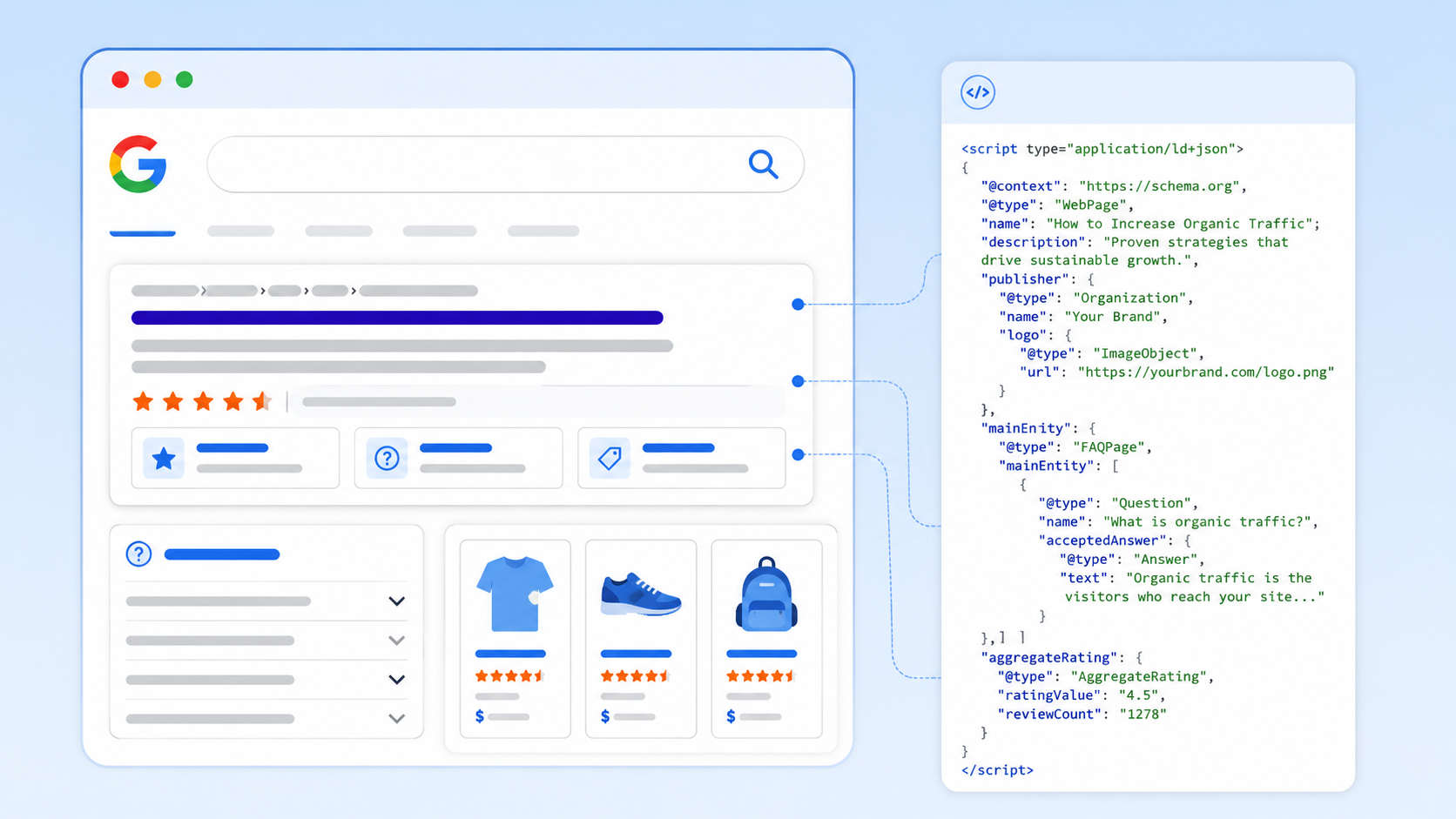
    A meta description controls one snippet. Structured data (schema markup) can expand your SERP footprint significantly.

    By adding FAQ schema to your homepage, you can unlock:

    SERP FeatureWhat It Looks LikeBenefit
    FAQ rich resultExpandable Q&A below your listingTakes up more space, higher CTR
    AI Overview inclusionYour content cited in Google’s AI answersBrand visibility beyond position
    Voice search answersGoogle reads your content aloudCaptures voice queries

    How to implement it without touching code: Tools like Schemafy let you generate FAQ schema and other structured data markup visually, no developer required. You paste the output into your page’s <head> and you’re done.

    This is one of the highest-leverage, lowest-effort tactics for increasing SERP visibility beyond what your meta description alone can do.

    Homepage Meta Description Templates You Can Copy

    Simple Conversion Template

    [What you do] for [your audience]. [Key benefit or differentiator]. [Soft CTA].

    Example: “AI-powered analytics for e-commerce brands. See what’s driving revenue  and what’s not. Start free.”

    SEO-Optimized Template

    [Primary keyword] that [solves problem or delivers outcome]. [Trust signal or feature]. [CTA].

    Example: “Project management software that keeps remote teams aligned. Used by 8,000+ companies. Try it free.”

    Brand-Focused Template

    [Brand name] is [what you are] for [audience]. [What makes you different]. [Where to go next].

    Example: “Leanware is a boutique AI development agency for US startups. Custom agents, GenAI apps, and no fluff. See our work.”

    Frequently Asked Questions (FAQs)

    What is a homepage meta description?

    A homepage meta description is a short HTML summary, typically 140–160 characters that appears below your title in search results. Its job is to explain what your site offers and persuade users to click.

    What is the ideal length for a homepage meta description?

    The ideal length is 140–160 characters. Shorter descriptions leave value on the table; longer ones get truncated by Google with an ellipsis, cutting off your message.

    Does a meta description affect SEO rankings?

    No, meta descriptions don’t directly affect keyword rankings. However, they influence click-through rate (CTR), which signals relevance to Google and can indirectly support your rankings over time.

    Should I include keywords in my homepage meta description?

    Yes. Including your primary keyword helps match search intent and may trigger bold highlighting in search results when it matches the user’s query, making your listing more prominent.

    Can Google rewrite my meta description?

    Yes. Google rewrites meta descriptions when it believes another section of your page better matches the user’s query. Writing intent-aligned, properly-lengthed descriptions reduces, but doesn’t eliminate this risk.

    How do I write a high-converting homepage meta description?

    Follow this formula: primary keyword + clear value proposition + one conversion angle (CTA, social proof, or benefit). Keep it under 160 characters and write for the human reading it, not just the algorithm crawling it.

    What makes a good homepage meta description?

    The best ones are: clear, specific, benefit-driven, audience-aware, and aligned with what users are actually searching for. If it reads like a human wrote it for another human, you’re on the right track.

    Can I use the same meta description on multiple pages?

    No. Duplicate meta descriptions reduce relevance signals across your site. Every page should have a unique description tailored to that page’s content and target keyword.

    How often should I update my homepage meta description?

    Update it when: your positioning changes, your core services shift, you target new keywords, or your CTR is underperforming and needs a refresh. It’s not a “set and forget” element.

    Do I need structured data (FAQ schema) for meta description FAQs?

    Adding FAQ schema to your page content can unlock rich results in the SERP, expanded Q&A panels that increase your listing’s visibility and CTR. Tools like Schemafy make this process code-free and straightforward.

    Final Thoughts: Writing Meta Descriptions That Actually Get Clicks

    Your meta description is one of the smallest pieces of copy on your site  and one of the most consequential. It’s the last thing a potential visitor reads before deciding whether your page is worth their time.

    The formula is simple:

    • Know your keyword (what people are searching)
    • Know your audience (who you’re talking to)
    • Know your value (why they should click you, not the others)

    Then write it clearly, keep it tight, and test it when CTR is flat.

    And if you want to go further, add structured data to your page and let your content earn more SERP real estate through rich results. Tools like Schemafy make that step easy enough to do today.

  • How to Write Perfect-Length Meta Descriptions for SEO

    How to Write Perfect-Length Meta Descriptions for SEO

    Introduction

    Meta descriptions are underestimated SEO elements. While they don’t directly affect rankings, they do impact CTR, which influences everything else. They act as your page’s elevator pitch in search results.

    There’s no fixed character limit since Google measures by pixel width, but 150-160 characters works best for desktop and 120-130 for mobile.

    The guide covers: optimal length, writing techniques, testing tools, and CTR-killing mistakes — all aimed at balancing brevity with persuasion to drive more traffic.

    5-Step Process for Writing Perfect Meta Descriptions

    1. Identify the Search Intent

    • Understanding search intent determines whether your meta description succeeds or fails. Different intents need different approaches:
    • Informational queries need educational promises: “Learn the ideal meta description length for SEO, including character limits, pixel width considerations, and testing tools.”
    • Transactional queries demand clear benefits: “Shop 500+ running shoe styles with free shipping and 60-day returns. Find your perfect fit today.”
    • Navigational queries require brand clarity: “Official Nike store—Shop the latest sneakers, apparel, and gear directly from Nike.com.”
    • Mismatched intent destroys CTR. Before writing, identify whether the intent is to learn, buy, or navigate. Your description’s tone and promise must align with that intent.

    2. Use Your Primary Keyword Naturally

    • Google bolds search terms that match the user’s query in your meta description. This creates visual contrast and signals relevance, increasing CTR.
    • Effective example: “Learn the ideal meta description length and how to write SEO-friendly descriptions that boost clicks.”
    • Keyword stuffing (avoid): “Meta description length, best meta description length, optimal meta description length for SEO.”
    • Include your primary keyword once, ideally in the first half. The bolding improves visibility, but only if the surrounding text convinces users to click. A description that’s 100% keywords gets bolded everywhere and converts nowhere.

    3. Stay Within the Pixel Limit

    Google measures pixel width, not characters. A “W” consumes more pixels than an “i.”

    Follow these guidelines:

    • Desktop: 150-160 characters (~920 pixels)
    • Mobile: 120-130 characters (~680 pixels)

    Test before publishing using tools like ToTheWeb’s SERP snippet simulator. Truncation kills effectiveness—when Google cuts your description mid-sentence, users miss your call to action or key benefit.

    Write concisely. Eliminate filler like “this article will teach you.” Start with your hook: “Discover the exact character limits for meta descriptions, plus testing tools and optimization techniques.”

    Front-load importance. Place your primary benefit and keyword in the first 120 characters. If mobile truncation occurs, users still see your core message.

    4. Add a Call to Action

    • Effective meta descriptions invite action. The best CTAs feel natural, not pushy.
    • For informational content: “Learn how,” “Discover,” “See examples,” “Find out why,” “Explore strategies”
    • For transactional content: “Shop now,” “Compare pricing,” “Get started free,” “Order today”
    • Example with CTA: “Learn the ideal meta description length—150-160 characters for desktop, 120-130 for mobile. Discover why pixel width matters and how to test before publishing.”
    • Match your CTA intensity to search intent—subtle invitation for information seekers, direct action for ready buyers.

    5. Reflect Real Value

    • Google rewrites meta descriptions that don’t accurately represent page content. This happens in approximately 63% of search results. When your description promises a comprehensive guide but delivers a 300-word overview, Google replaces it with on-page text.
    • Be specific. Instead of “Everything you need to know about meta descriptions,” write: “Learn meta description character limits, pixel width considerations, and three testing tools for previewing your descriptions.”
    • Avoid hyperbole like “ultimate,” “complete,” or “definitive” unless your content truly is comprehensive. A focused treatment of a specific angle often performs better than shallow coverage of everything.
    • When Google consistently rewrites your descriptions, it’s feedback. Either your descriptions don’t match search intent, or your content doesn’t align with your promise.

    Examples of Ideal Meta Descriptions

    TypeExampleCharacters
    InformationalLearn the ideal meta description length for SEO—150-160 characters for desktop, 120-130 for mobile. Discover testing tools and optimization techniques.151
    E-commerce“Shop premium leather wallets with RFID protection. Free shipping on orders over $50. Browse styles from minimalist to classic executive.”140
    Local ServiceProfessional HVAC repair in Austin, TX. 24/7 emergency service, licensed technicians, and upfront pricing. Call now or schedule online.136

    Each example demonstrates optimal length, natural keyword integration, clear value proposition, and appropriate CTAs.

    How to Test Meta Descriptions

    1. Use SEO Plugins

    WordPress SEO plugins provide real-time character counters and SERP preview simulators directly in your editor. These tools show live previews as you type with color-coded warnings when you exceed recommended lengths. This immediate feedback prevents truncation issues before publishing and saves time by letting you optimize without switching between your CMS and external testing tools.

    2. Manual Preview Tools

    Use dedicated SERP simulators like Mangools SERP Simulator (https://mangools.com/free-seo-tools/serp-simulator), Portent’s SERP Preview Tool, or Moz’s snippet optimizer to test outside WordPress. These tools simulate Google’s display with pixel-accurate precision, showing exactly where truncation occurs on both desktop and mobile.

    Mangools SERP Simulator is particularly effective—it provides real-time previews as you type, shows both desktop and mobile views, and accurately reflects how your description will appear in actual search results. Test different character combinations to understand how composition affects display length.

    3. Monitor in Google Search Console

    Synthesized SEO optimization strategies for meta description Track CTR per query in Search Console’s Performance report. A CTR below 5% for positions 3-5 signals your description isn’t matching user intent.

    Use the SEO META in 1 CLICK browser extension to see how your descriptions actually appear, compare them to what Google displays, and spot discrepancies. Big differences mean Google is rewriting yours — adjust accordingly to regain control of your messaging.

    Mangools SERP snippet preview tool showing meta title and description length indicators for SEO optimization

    Best Practices/Common Mistakes to Avoid

    Keep descriptions 150-160 characters for desktop, 120-130 for mobileUsing the same description across multiple pages – Every page deserves a unique description tailored to its content and target queries.
    Include primary keyword naturally in the first halfWriting only keywords with no value statements – Integrate keywords into sentences that promise tangible benefits.
    Make every word count—eliminate filler phrasesOverstuffing brand names – Use character space for value propositions instead.
    Write unique descriptions for every pageIgnoring mobile truncation – Front-load your hook in the first 120 characters.
    Match tone to search intent and content typeLeaving the field blank – Always write your own to control messaging.
    Avoid keyword stuffing
    Update descriptions as content evolves
    Preview on both desktop and mobile before publishing
    Include a soft CTA that matches search intent
    Flowchart showing advanced optimization tips for meta descriptions

    Advanced Tips

    • Front-load the hook. Place your strongest value proposition in the first 100 characters.
    • Echo your title without repeating it. Your title establishes the topic; your description expands with context and benefits.
    • Use emotional triggers. Words like “save time,” “avoid mistakes,” or “increase conversions” tap into user motivations.
    • Optimize for your dominant traffic source. If 70% comes from mobile, prioritize mobile optimization.
    • A/B test high-traffic pages. Small CTR improvements create meaningful traffic gains.
    • Analyze competitor descriptions. Identify patterns in top-ranking descriptions, then create better versions.

    FAQ

    What happens if I don’t write a meta description?

    Google auto-generates one from your page text. Always write your own to control messaging—even though Google rewrites ~63% anyway, you influence the other 37%.

    How do I handle 1000+ product pages?

    Use templates with variables: “[Product] – [Feature] | [Benefit]. [Shipping]. [CTA].” Manually write for top revenue products, use templates for mid-tier, accept auto-generation for long-tail.

    Does length affect page speed?

    No. Meta descriptions are tiny text snippets (150-300 bytes) with zero impact on Core Web Vitals.

    How much does a good description improve CTR?

    • Positions 1-3: 5-15% boost
    • Positions 4-7: 20-30%+ improvement
    • Positions 8-10: Less impact

    How often should I update descriptions?

    Immediately when content changes significantly. Otherwise: top pages quarterly, mid-tier semi-annually, low-traffic annually.

    Should I use emojis?

    Use for e-commerce, food, or local services (⭐🚚📍). Avoid for B2B, legal, medical, or technical content. Maximum 1-2 emojis, universal symbols only.

  • Test2 Fabian

    this is a test blog