A meta description can be the difference between a click and a scroll-past. Yet most websites treat it as an afterthought. This guide covers everything you need to write homepage meta descriptions that rank for intent, earn the click, and drive real traffic.
What Is a Homepage Meta Description?
A homepage meta description is an HTML attribute, typically 140 – 160 characters, that summarizes the content of your website’s main page. Search engines like Google display it below your page title in the search results, giving users a preview of what to expect before they click.
Think of it as your homepage’s pitch: a single sentence (or two) that answers “Why should I click this instead of the others?”
Here’s an example of what the HTML looks like:
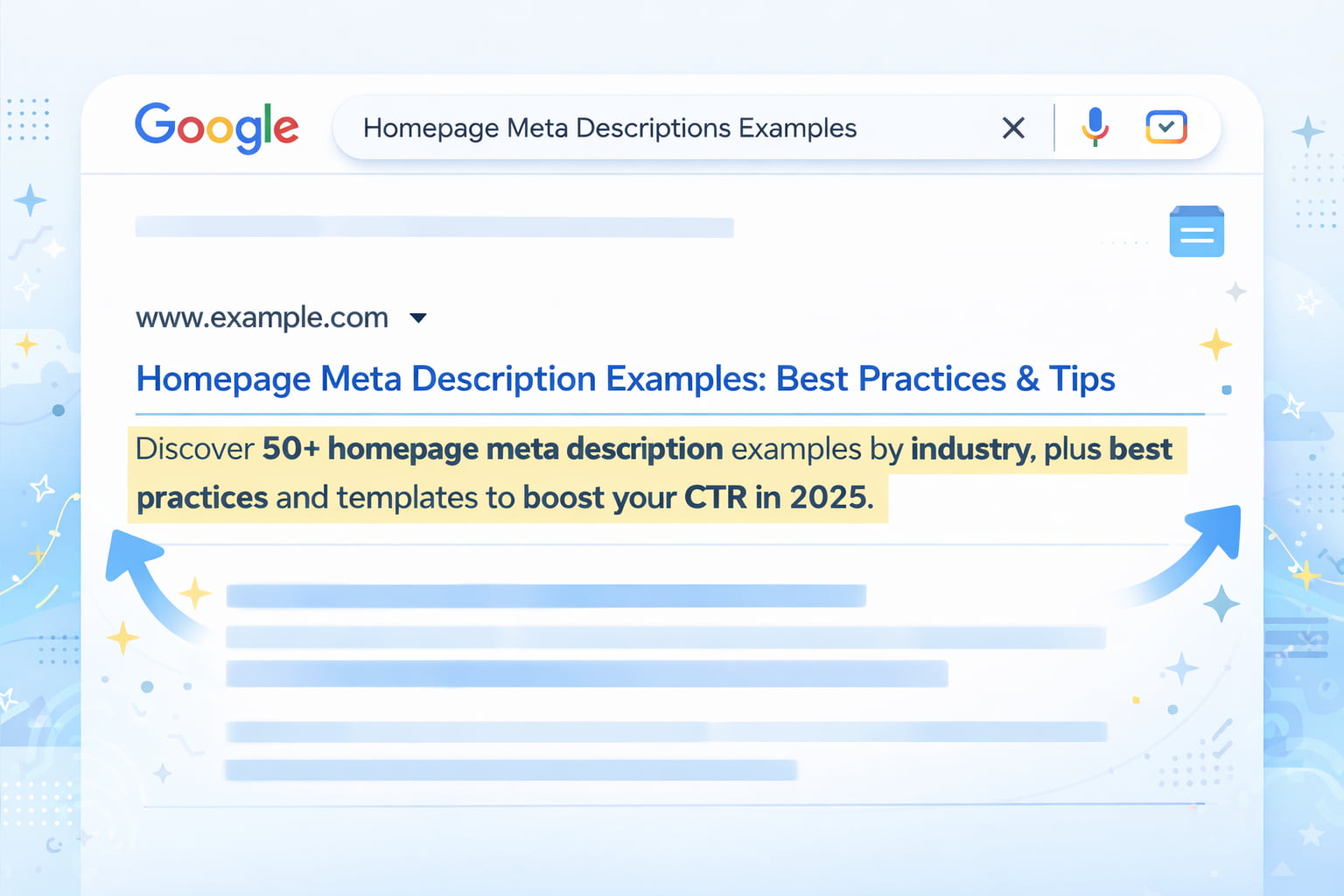
<meta name=”description” content=”Discover 50+ homepage meta description examples by industry, plus best practices and templates to boost your CTR in 2025.”>
Where Does the Meta Description Appear in Search Results?
In a standard Google SERP (Search Engine Results Page), three elements appear for each result:
| Element | What It Is | Character Limit |
| URL | Your page address | — |
| Title tag | The blue clickable headline | 50–60 characters |
| Meta description | The gray summary text below the title | 140–160 characters |
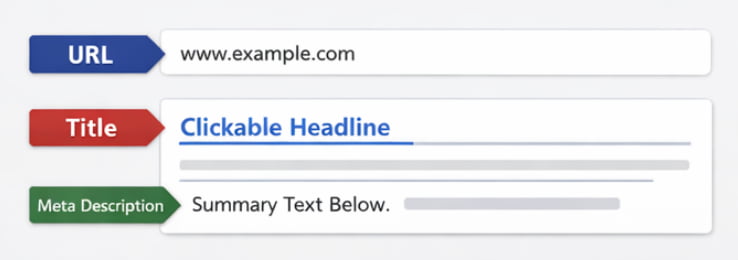
The meta description sits directly below the title. It’s the last thing a user reads before deciding whether to click, which makes it high-stakes real estate.
Why Homepage Meta Descriptions Matter for SEO
Meta descriptions do not directly affect your keyword rankings. Google has confirmed this. What they do affect is your Click-Through Rate (CTR) and CTR matters a lot:
- Higher CTR = more organic traffic without changing rankings
- Strong CTR signals relevance, which can indirectly reinforce your position
- A well-written description filters in the right audience, reducing bounce rate
- Google may bold keywords that match the user’s query, making your result more visible
Bottom line: a great meta description won’t push you to #1, but it will make your #1 listing earn far more clicks.
Why Most Homepage Meta Descriptions Fail
Most meta descriptions are either ignored, auto-generated, or written as afterthoughts. Here’s what goes wrong:
Being Too Generic or Vague
Bad example:
“Welcome to our website. We offer a wide range of products and services for all your needs.”
This says nothing. There’s no keyword, no value, no reason to click. Users scanning a SERP will skip it entirely.
What’s missing:
- No specificity about what the company does
- No audience signal (who is this for?)
- No differentiation from the 9 other results on the page
Not Matching Search Intent
If someone searches “best project management tool for remote teams” and your meta description says “Project management software for businesses”, you’ve lost the match. The description must mirror the intent behind the query your homepage is targeting.
- Informational intent → Lead with insight or a clear explanation
- Commercial intent → Lead with outcome, value, or offer
- Navigational intent → Lead with brand name and what you do
Ignoring Click-Through Optimization
CTR optimization means writing for the scanner, not the reader. Users spend less than 2 seconds deciding whether to click. Your description needs to:
- Start with the most compelling benefit
- Use natural language that feels human
- Avoid jargon that creates friction
- End with a nudge toward action
Homepage Meta Description Best Practices (With Examples)
Use Your Primary Keyword Naturally
Your main keyword should appear in the meta description, but it needs to flow naturally. Keyword stuffing reads as spam and gets ignored.
| Version | Example |
| ❌ Without keyword | “Helping teams get more done, faster.” |
| ✅ With keyword | “Project management software that helps remote teams stay aligned and ship faster.” |
The second version targets the keyword “project management software” while still reading naturally.
Focus on Value Proposition
Your value proposition answers one question: Why you, and not everyone else?
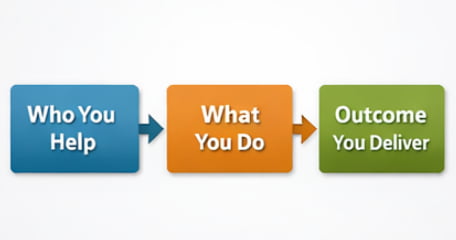
Strong value-prop framing follows this structure:
- Who you help → “For startups and growing teams…”
- What you do → “…we build custom AI agents…”
- What outcome you deliver → “…that automate workflows and cut ops costs.”
Example:
“Custom AI agents for startups and mid-market teams. Automate complex workflows without hiring a dev team. Book a free discovery call.”
Add a Clear Call-to-Action (CTA)
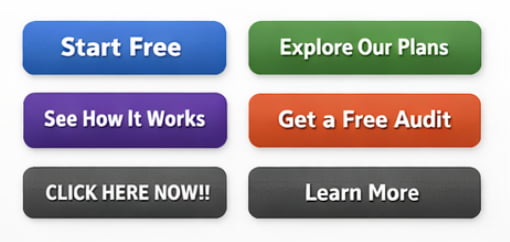
CTAs in meta descriptions work subtly. You’re not writing an ad, you’re nudging. Effective CTAs:
- ✅ “Explore our plans”
- ✅ “See how it works”
- ✅ “Get a free audit”
- ✅ “Start free today”
- ❌ “CLICK HERE NOW!!!” (too aggressive)
- ❌ “Learn more” (too vague)
Keep It Within Optimal Length (140–160 Characters)
Google truncates descriptions that exceed ~160 characters with an ellipsis (…), cutting off your message mid-sentence.
| Length | Result |
| Under 120 characters | Too short – wasted opportunity |
| 140–160 characters | Sweet spot – full message visible |
| Over 160 characters | Gets cut off in most SERPs |
Use a character counter when writing. Every character counts – literally.
Write for Humans, Not Just Search Engines
The best meta descriptions read like something a smart human would say, not something a robot optimized. Ask yourself:
“If someone read this out loud, would it sound natural?”
Aim for a tone that matches your brand, professional, conversational, direct, or friendly, but always clear. Avoid passive voice, filler words, and corporate-speak.
Homepage Meta Description Examples by Industry
SaaS Homepage Meta Description Examples
| # | Example | Why It Works |
| 1 | “Automate your sales pipeline with AI. [Brand] helps B2B teams close more deals in less time. Start free.” | Keyword + outcome + CTA |
| 2 | “The all-in-one HR platform for growing companies. Onboard, manage, and pay your team from one dashboard.” | Specific use case + feature summary |
| 3 | “Real-time analytics for e-commerce brands. Track revenue, returns, and retention – no SQL needed.” | Pain point addressed, audience clear |
| 4 | “Customer support software that reduces ticket volume by 40%. See why 5,000+ teams choose [Brand].” | Social proof + outcome metric |
| 5 | “Collaborative project management for remote teams. Stay aligned across time zones – free to start.” | Audience-specific + benefit |
E-commerce Homepage Meta Description Examples
| # | Example | Why It Works |
| 1 | “Shop premium skincare made with natural ingredients. Free shipping on orders over $50. New arrivals weekly.” | Offer + shipping incentive |
| 2 | “Designer furniture for modern living. Explore 500+ curated pieces with fast delivery and easy returns.” | Category breadth + logistics trust signals |
| 3 | “Organic coffee subscription delivered to your door. Choose your roast, set your frequency, cancel anytime.” | Product clarity + flexibility |
| 4 | “Kids’ clothing is built to last and look great. Sizes 0–14, free returns, certified organic cotton.” | Audience + differentiators |
Local Business Homepage Meta Description Examples
| # | Example | Why It Works |
| 1 | “Top-rated plumbing services in Austin, TX. 24/7 emergency repairs, licensed techs, same-day availability.” | Location + urgency + trust |
| 2 | “Family law attorney in Chicago specializing in divorce, custody, and adoption. Free initial consultation.” | Specialty + location + offer |
| 3 | “Italian restaurant in downtown Denver. Fresh pasta, wood-fired pizza, and private dining for groups.” | Location + offering + use case |
Agency & Service-Based Business Examples
| # | Example | Why It Works |
| 1 | “Boutique AI development agency for US startups. Custom AI agents, GenAI apps, and legacy modernization.” | Niche + services listed |
| 2 | “SEO agency for SaaS companies. We grow organic traffic with content strategy and technical audits.” | Audience-specific + methodology |
| 3 | “Brand identity design studio. We help founders launch with a visual identity that builds trust from day one.” | Emotional outcome + audience |
Personal Brand / Portfolio Examples
- “UX designer specializing in B2B SaaS. Helping product teams design for conversion and retention. View my work.”
- “Full-stack developer and technical writer. I build fast, accessible web apps and explain them clearly.”
- “Marketing consultant for early-stage startups. 10 years growing brands from $0 to Series A.”
How to Write a Homepage Meta Description Step-by-Step
Step 1: Identify Your Main Keyword
Your homepage meta description should target the primary keyword your homepage is ranking (or trying to rank) for.
- Go to your SEO tool and check what keyword drives the most impressions to your homepage
- If you’re just starting out, identify your head term the short-phrase that best describes what your business does
- Example: “AI development company”, “project management software”, “personal injury lawyer Kentucky”
Step 2: Define Your Core Value Proposition
Answer these three questions in one sentence:
- Who do you help? (your audience)
- What do you do? (your service or product)
- What outcome do they get? (the result or benefit)
“We help [audience] [do what] so they can [achieve outcome].”
Step 3: Add a Conversion-Oriented Angle
Pick ONE of these angles to close the description:
| Angle | Example Phrase |
| Social proof | “Trusted by 10,000+ teams” |
| Urgency | “Start free today” |
| Risk reducer | “No credit card required” |
| Specificity | “See results in 14 days” |
| Curiosity | “See how it works” |
Step 4: Optimize Length and Clarity
- Count your characters (target: 140–160)
- Remove filler words: “We are a company that…” → just say what you do
- Read it aloud, if it sounds awkward, rewrite it
- Check for keyword presence without stuffing
Can Google Rewrite Your Meta Description?
Yes, and it happens more often than most people think.
Why Google Sometimes Ignores Your Meta Description
Google rewrites meta descriptions when it believes another part of your page better answers the user’s query. Common triggers include:
- Your description doesn’t match the search query closely enough
- Your description is too short, too long, or duplicate across pages
- Google finds a more relevant passage from your page body content
- Your page has thin or low-quality content overall
Studies suggest Google rewrites meta descriptions roughly 60–70% of the time for informational queries.
How to Increase the Chances Google Uses Yours
While you can’t force Google’s hand, these practices improve your odds:
- ✅ Write descriptions that closely match your target keyword’s intent
- ✅ Keep it between 140–160 characters
- ✅ Make it unique per page (no duplicate descriptions)
- ✅ Ensure your page content matches the description’s promise
- ✅ Avoid excessive punctuation, all-caps, or spammy phrasing
Advanced Tip: Use Structured Data to Increase Visibility
A meta description controls one snippet. Structured data (schema markup) can expand your SERP footprint significantly.
By adding FAQ schema to your homepage, you can unlock:
| SERP Feature | What It Looks Like | Benefit |
| FAQ rich result | Expandable Q&A below your listing | Takes up more space, higher CTR |
| AI Overview inclusion | Your content cited in Google’s AI answers | Brand visibility beyond position |
| Voice search answers | Google reads your content aloud | Captures voice queries |
How to implement it without touching code: Tools like Schemafy let you generate FAQ schema and other structured data markup visually, no developer required. You paste the output into your page’s <head> and you’re done.
This is one of the highest-leverage, lowest-effort tactics for increasing SERP visibility beyond what your meta description alone can do.
Homepage Meta Description Templates You Can Copy
Simple Conversion Template
[What you do] for [your audience]. [Key benefit or differentiator]. [Soft CTA].
Example: “AI-powered analytics for e-commerce brands. See what’s driving revenue and what’s not. Start free.”
SEO-Optimized Template
[Primary keyword] that [solves problem or delivers outcome]. [Trust signal or feature]. [CTA].
Example: “Project management software that keeps remote teams aligned. Used by 8,000+ companies. Try it free.”
Brand-Focused Template
[Brand name] is [what you are] for [audience]. [What makes you different]. [Where to go next].
Example: “Leanware is a boutique AI development agency for US startups. Custom agents, GenAI apps, and no fluff. See our work.”
Frequently Asked Questions (FAQs)
What is a homepage meta description?
A homepage meta description is a short HTML summary, typically 140–160 characters that appears below your title in search results. Its job is to explain what your site offers and persuade users to click.
What is the ideal length for a homepage meta description?
The ideal length is 140–160 characters. Shorter descriptions leave value on the table; longer ones get truncated by Google with an ellipsis, cutting off your message.
Does a meta description affect SEO rankings?
No, meta descriptions don’t directly affect keyword rankings. However, they influence click-through rate (CTR), which signals relevance to Google and can indirectly support your rankings over time.
Should I include keywords in my homepage meta description?
Yes. Including your primary keyword helps match search intent and may trigger bold highlighting in search results when it matches the user’s query, making your listing more prominent.
Can Google rewrite my meta description?
Yes. Google rewrites meta descriptions when it believes another section of your page better matches the user’s query. Writing intent-aligned, properly-lengthed descriptions reduces, but doesn’t eliminate this risk.
How do I write a high-converting homepage meta description?
Follow this formula: primary keyword + clear value proposition + one conversion angle (CTA, social proof, or benefit). Keep it under 160 characters and write for the human reading it, not just the algorithm crawling it.
What makes a good homepage meta description?
The best ones are: clear, specific, benefit-driven, audience-aware, and aligned with what users are actually searching for. If it reads like a human wrote it for another human, you’re on the right track.
Can I use the same meta description on multiple pages?
No. Duplicate meta descriptions reduce relevance signals across your site. Every page should have a unique description tailored to that page’s content and target keyword.
How often should I update my homepage meta description?
Update it when: your positioning changes, your core services shift, you target new keywords, or your CTR is underperforming and needs a refresh. It’s not a “set and forget” element.
Do I need structured data (FAQ schema) for meta description FAQs?
Adding FAQ schema to your page content can unlock rich results in the SERP, expanded Q&A panels that increase your listing’s visibility and CTR. Tools like Schemafy make this process code-free and straightforward.
Final Thoughts: Writing Meta Descriptions That Actually Get Clicks
Your meta description is one of the smallest pieces of copy on your site and one of the most consequential. It’s the last thing a potential visitor reads before deciding whether your page is worth their time.
The formula is simple:
- Know your keyword (what people are searching)
- Know your audience (who you’re talking to)
- Know your value (why they should click you, not the others)
Then write it clearly, keep it tight, and test it when CTR is flat.
And if you want to go further, add structured data to your page and let your content earn more SERP real estate through rich results. Tools like Schemafy make that step easy enough to do today.
Leave a Reply