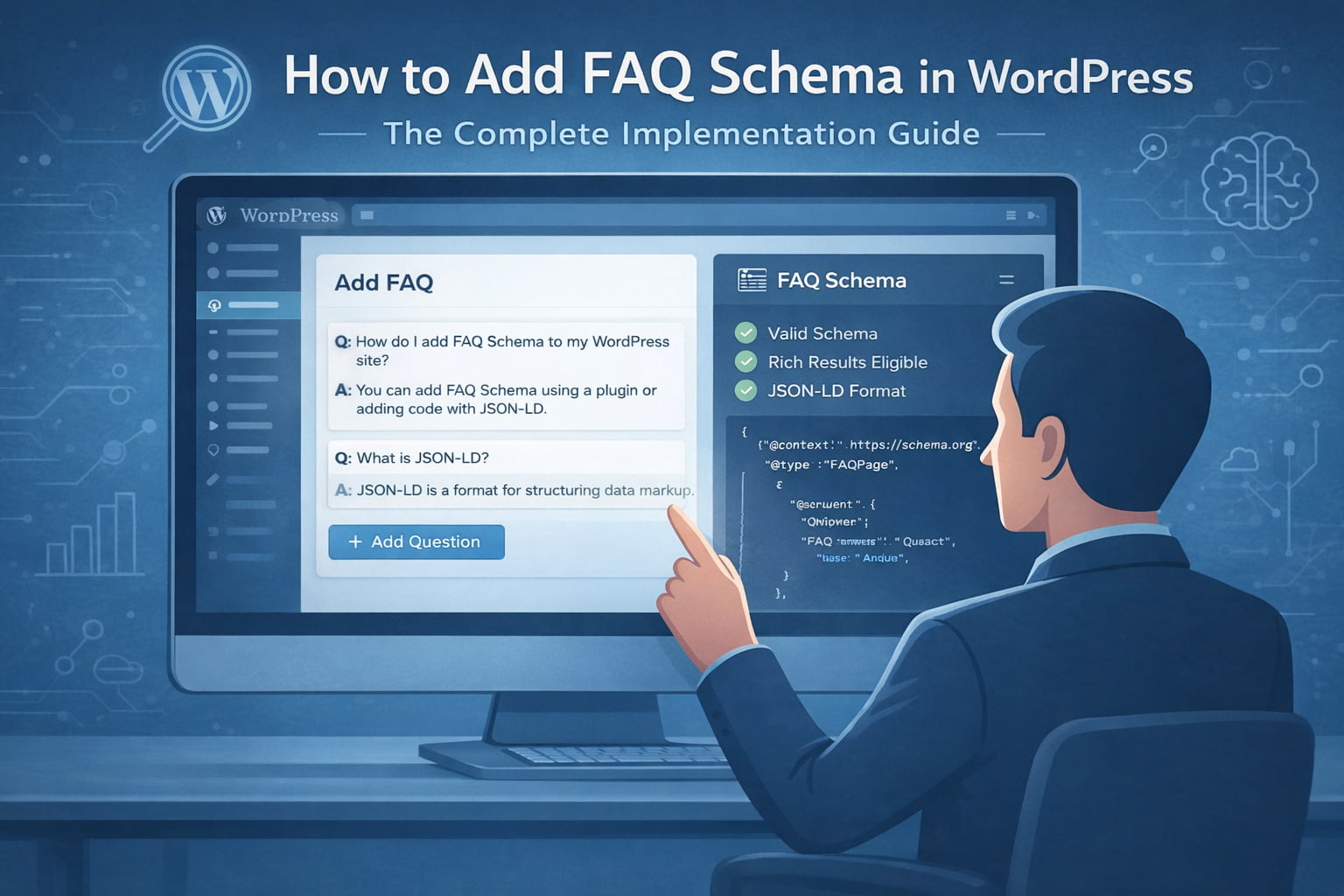
FAQ Schema is one of the most effective ways to turn your WordPress content into enhanced, high-visibility search results.
By helping Google understand your questions and answers more clearly, FAQ Schema makes your pages eligible for rich results that expand your SERP presence and improve click-through rates.
For any site competing in today’s search landscape, implementing FAQ Schema isn’t just a technical upgrade, it’s a practical step toward stronger visibility and better alignment with user intent.
What Is FAQ Schema?
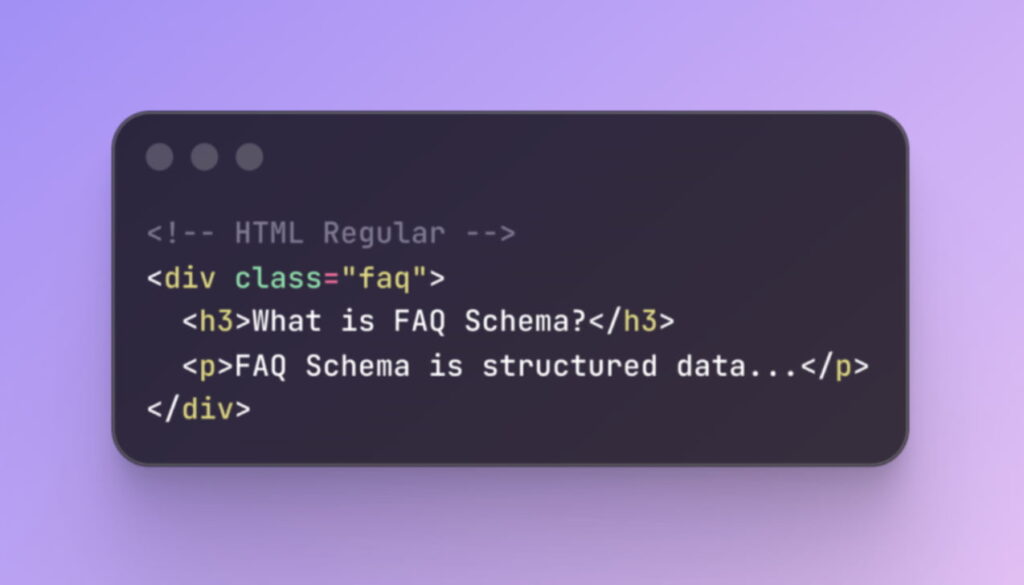
FAQ Schema: A type of structured data markup.
Purpose: Helps search engines identify questions and answers on your page.
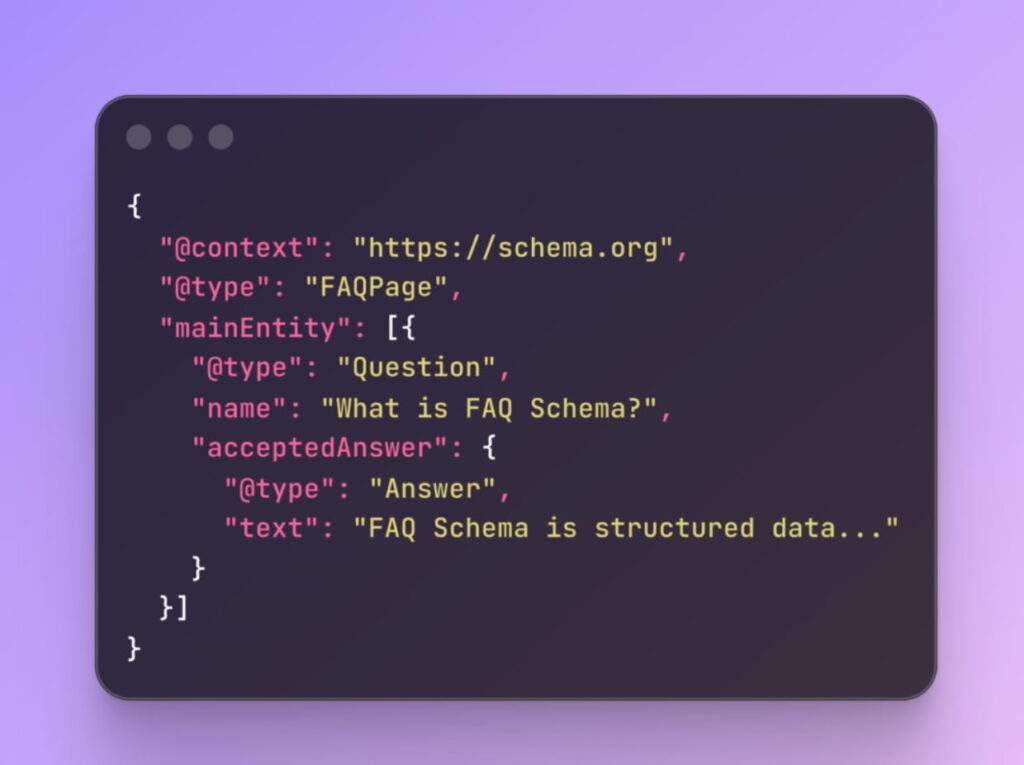
Uses JSON-LD format, which is:
- Machine-readable.
- Compatible with Google.
Outcome: Makes your content eligible for rich results in search results.
BEFORE
AFTER
Why FAQ Schema Matters for SEO Impact
Visibility Boost: FAQ schema enables rich results that take up more space in search results.
Trust Signal: Positions your content as an authoritative resource.
SEO Benefits:
- Longer dwell times as users explore multiple questions.
- Lower bounce rates from users finding immediate answers.
- Increased chances of earning featured snippets.
Technical Standards and Requirements
- Follow Google’s Guidelines: Ensure compliance with strict technical specifications.
- JSON-LD Format:
- Offers clean separation between content and markup.
- Simplifies maintenance and improves compatibility.
- Placement: Lives within script tags, invisible to users but visible to search engines.
JSON-LD Structure and Syntax
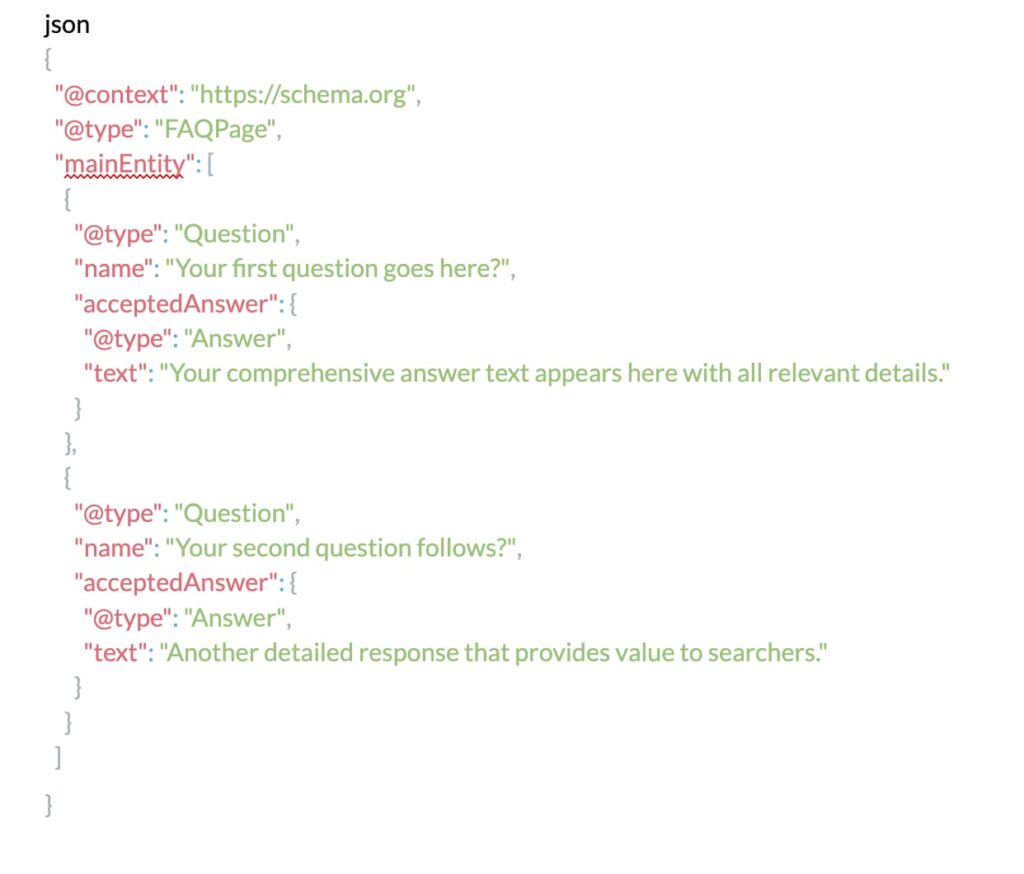
The canonical FAQ schema structure follows a predictable pattern that balances simplicity with semantic richness:
Google’s FAQ Guidelines
- Google’s quality guidelines for FAQ schema implementation demand strict compliance with several non-negotiable requirements:
- Content Authenticity: Questions must reflect real user queries.
- Answer Completeness: Provide full answers without requiring users to click for more.
- Prohibited Content:
- No advertising, explicit, or violent material.
- Questions should be genuine inquiries.
- Page Relevance: FAQ schema must be on pages where Q&A is the primary content.

Schema Validation Requirements
- Precision Required: Even minor syntax errors can invalidate your markup.
- Use Google’s Structured Data Parser to validate.
- Your schema will either pass or fail—no middle ground.
Practical Implementation in WordPress
- Plugin Implementation (e.g., Yoast SEO, Rank Math):
- Simple, convenient.
- Handles technical aspects automatically.
- Manual Implementation:
- Offers complete control over customization.
- Requires editing templates or custom functions.
- Custom Fields (e.g., ACF):
- Dynamic FAQ content management.
- Separate content from presentation.
Method 1: Plugin Implementation
The WordPress ecosystem provides several robust plugins specifically designed for FAQ schema implementation, with Yoast SEO, Rank Math, and Schema Pro leading the market.
These solutions abstract the technical complexity while maintaining compliance with Google’s evolving requirements.
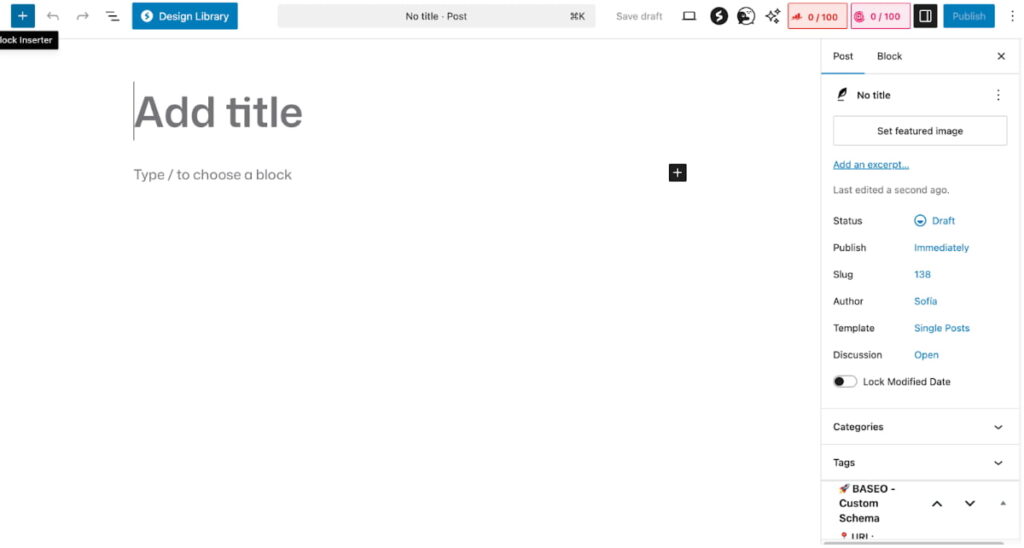
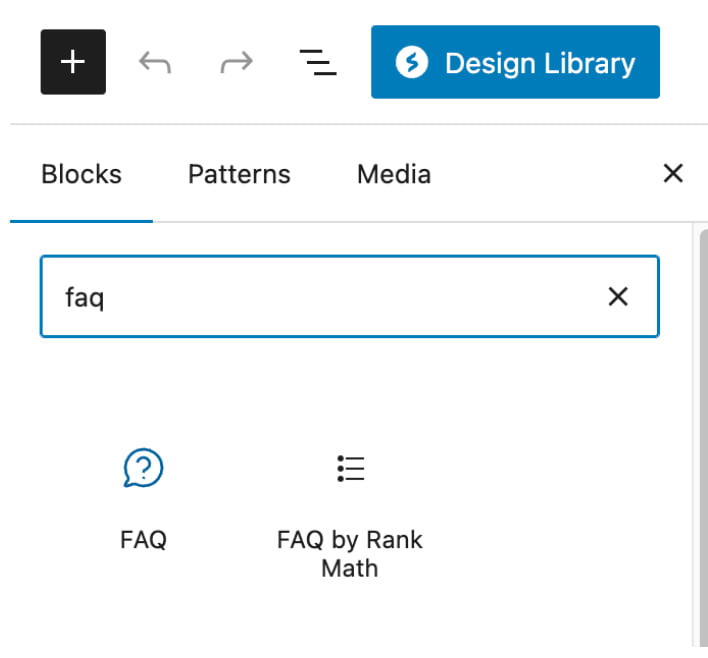
Yoast SEO FAQ Block Implementation:
Navigate to your WordPress post or page editor and locate the Yoast FAQ block within the block inserter. This specialized block automatically generates compliant JSON-LD markup as you add questions and answers. The visual editor maintains perfect synchronization between your visible content and the underlying schema, eliminating the risk of mismatches that could trigger Google penalties.
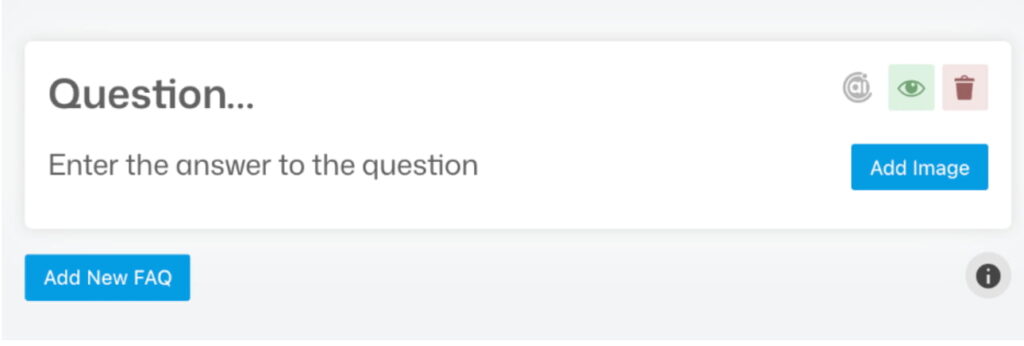
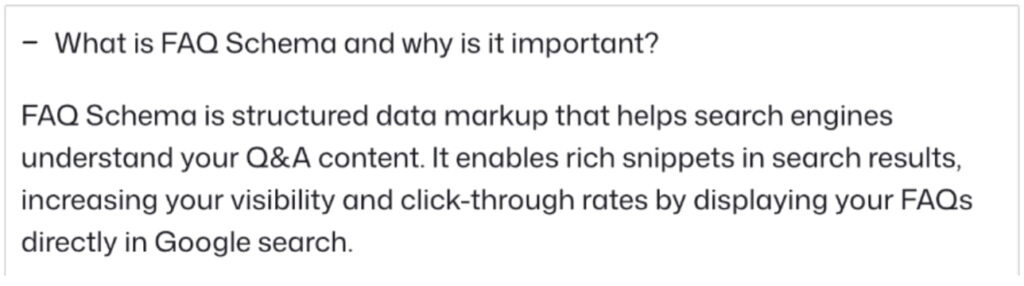
The configuration process follows an intuitive workflow: add your question in the designated field, craft your comprehensive answer in the text area below, and repeat for additional FAQs. Yoast handles all technical requirements automatically, including proper character escaping, JSON-LD formatting, and schema validation.
Rank Math FAQ Schema Module:
Rank Math approaches FAQ schema through its modular architecture, requiring initial activation of the Schema module from the dashboard. Once enabled, the FAQ schema option appears within the Schema tab of your post editor, presenting a streamlined interface for structured data creation.
The plugin’s strength lies in its flexibility, you can implement FAQ schema on existing content without restructuring your page layout. Simply map your existing questions and answers to the schema fields, and Rank Math generates the necessary JSON-LD in your page header.
Method 2: Manual JSON-LD Implementation
For WordPress users seeking maximum control or working with custom themes that don’t play well with plugins, manual implementation offers unlimited flexibility. This approach requires adding JSON-LD directly to your WordPress templates or through custom functions.
Functions.php Integration:
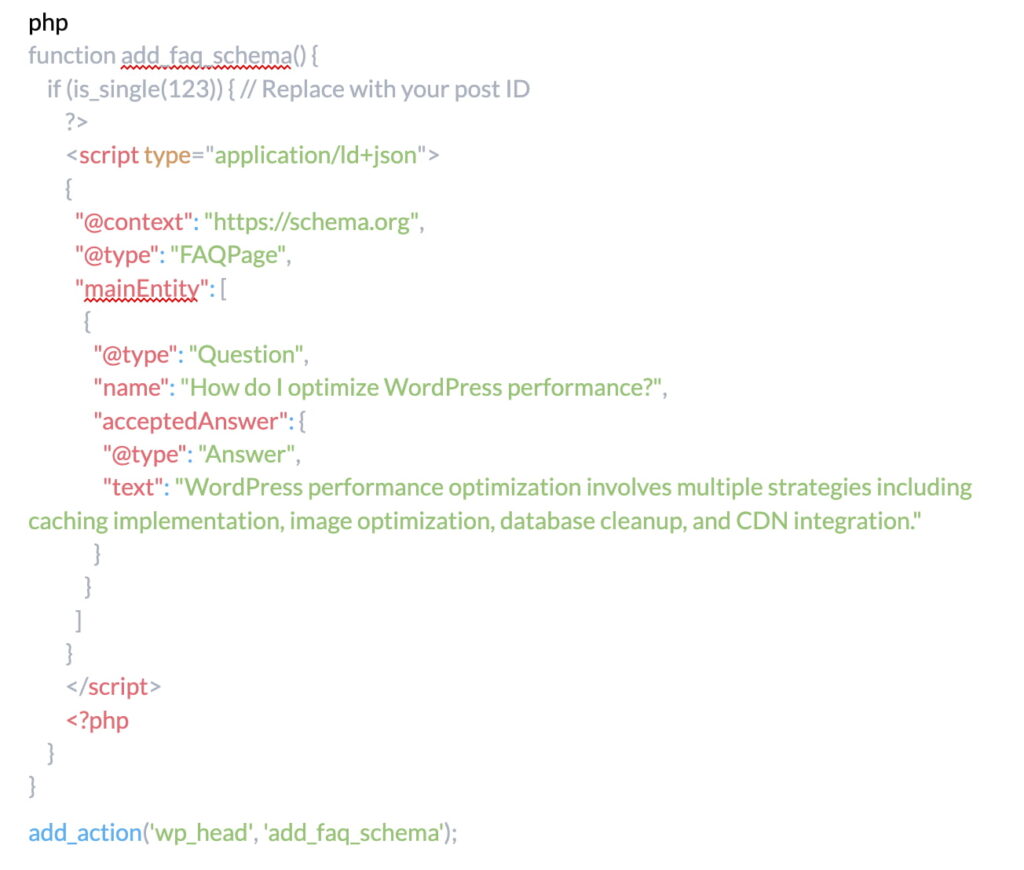
This method provides granular control over schema placement and conditional logic, enabling sophisticated implementations like dynamic FAQ generation from custom fields or database queries.
Method 3: Custom Fields Integration
Advanced WordPress deployments often leverage Advanced Custom Fields (ACF) or similar solutions to manage FAQ content dynamically. This approach separates content management from presentation, enabling non-technical users to maintain FAQ schemas without touching code.
Create a repeater field in ACF containing question and answer subfields, then loop through these fields in your template to generate both visible HTML and JSON-LD markup simultaneously. This single-source-of-truth approach eliminates synchronization issues while maintaining complete flexibility over presentation.
Tools for Testing and Optimization
The implementation of FAQ schema without proper validation resembles navigation without a compass, you might reach your destination, but the journey involves unnecessary risk and uncertainty.
Google provides sophisticated testing tools that transform guesswork into precision, ensuring your markup meets all technical requirements before deployment.
Google’s Rich Results Test
The Rich Results Test serves as your primary validation gateway, offering real-time analysis of your FAQ schema implementation. Simply input your URL or paste your code directly, and Google’s parser evaluates your markup against current guidelines.
The tool provides granular feedback, identifying specific issues that could prevent rich results from appearing.
Beyond basic validation, the Rich Results Test previews how your FAQ snippets might appear in search results, though actual display remains at Google’s discretion.
This preview functionality proves invaluable for optimizing answer length and formatting to maximize visual impact within SERP constraints.
Schema.org Validator
While Google’s tool focuses on rich results eligibility, the Schema.org Validator provides comprehensive markup validation against the complete schema vocabulary.
This broader perspective helps identify structural issues that might not immediately impact Google display but could affect other search engines or future compatibility.
Google Search Console Integration
Post-implementation monitoring through Google Search Console reveals the true performance of your FAQ schema. The Enhancement reports specifically track FAQ rich results, displaying impression counts, click-through rates, and any detected issues.
This data enables iterative optimization based on actual performance rather than theoretical best practices.
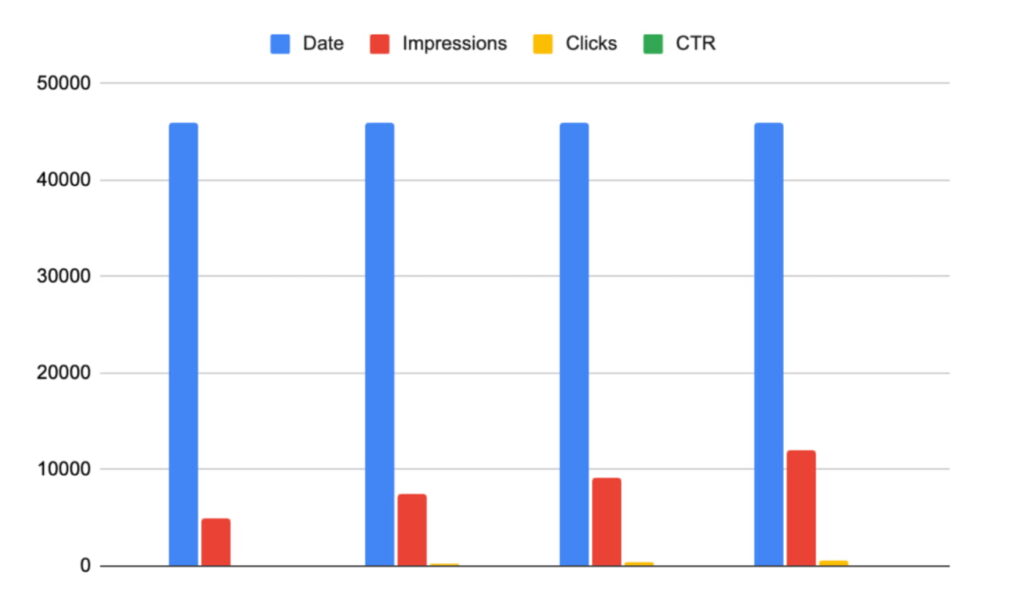
Performance Metrics Table:
| Metric | Before FAQ Schema | After FAQ Schema | Improvement |
| Impressions | 12,500 | 18,750 | +50% |
| CTR | 2.3% | 3.8% | +65% |
| Average Position | 8.2 | 6.7 | +18% |
| Rich Results | 0 | 4,200 | New Channel |
Mobile-Friendly Test Considerations
Given Google’s mobile-first indexing, validating FAQ schema display on mobile devices becomes critical. The Mobile-Friendly Test evaluates not just technical markup but also user experience factors like text readability and tap target sizing within expanded FAQ results.
Best Practices and Common Pitfalls
The landscape of FAQ schema implementation is littered with well-intentioned mistakes that sabotage rich results eligibility.
Understanding these pitfalls and their solutions separates successful implementations from the vast majority that never achieve their intended visibility gains.
Content Quality Standards
The temptation to manufacture questions for schema benefits often backfires spectacularly. Google’s natural language processing algorithms excel at detecting artificial FAQ constructions, particularly those that merely restate page headings as questions.
Authentic FAQs emerge from genuine user queries, customer support tickets, and search query analysis, not creative writing exercises.
Technical Implementation Standards
Nesting errors represent the most common technical failure in FAQ schema implementation. Each Question must contain exactly one acceptedAnswer, and each Answer must be properly enclosed within its parent Question.
Orphaned answers or questions without responses invalidate the entire schema block.
Character encoding mistakes plague implementations that fail to properly escape special characters. Quotation marks within answer text require backslash escaping (“), while ampersands need HTML entity encoding (&).
International characters demand UTF-8 encoding throughout the implementation chain, from database storage through JSON-LD output.
Strategic Deployment Decisions
Not every page benefits from FAQ schema implementation. E-commerce category pages, blog archives, and navigation pages typically lack the focused question-answer format that justifies FAQ markup.
Forcing FAQ schema onto inappropriate page types dilutes its effectiveness and may trigger manual actions from Google’s quality team.
The relationship between FAQ schema and other structured data types requires careful orchestration. When implementing multiple schema types on a single page, such as combining FAQ with Article or Product schema, ensure proper nesting and avoid conflicting signals.
FAQ schema should complement, not compete with, your primary schema strategy.
Maintenance and Updates
Establish a quarterly review cycle encompassing content relevance, technical validation, and performance analysis. Update answers to reflect current information, remove questions that no longer resonate with your audience, and add new FAQs based on emerging search trends and user feedback.
Frequently Asked Questions
How many FAQ items should I include in my schema markup?
While Google doesn’t enforce strict limits, practical testing reveals diminishing returns beyond 10-15 questions per page. Focus on quality over quantity, five highly relevant, comprehensive FAQs outperform twenty generic questions.
Monitor your Search Console data to identify which questions drive engagement and refine accordingly.
Can I use FAQ schema on e-commerce product pages?
Yes, but with important caveats. Product-specific questions about features, compatibility, or usage instructions qualify for FAQ schema.
However, reviews, shipping information, or promotional content masquerading as FAQs violate Google’s guidelines. Ensure your product page FAQs provide genuine informational value rather than sales messaging.
Will FAQ schema guarantee rich results in Google?
No structured data implementation guarantees rich results display. Google evaluates multiple factors including domain authority, content quality, search relevance, and user engagement metrics.
FAQ schema creates eligibility for rich results but doesn’t ensure their appearance. Focus on comprehensive implementation while maintaining realistic expectations.
How long does it take for FAQ rich results to appear after implementation?
Initial crawling and indexing typically occur within 2-7 days for frequently updated sites, though rich results may take 2-4 weeks to appear consistently.
New domains or those with limited crawl budgets might experience longer delays. Use Google Search Console’s URL Inspection tool to request indexing and accelerate the process.
Can I implement FAQ schema without showing the questions on my page?
Absolutely not. Google requires complete parity between visible content and schema markup. Hidden FAQs, even if marked up correctly in schema, violate Google’s guidelines and risk manual penalties.
Your FAQ content must be prominently displayed and easily accessible to users.
Should I use FAQ schema if I already have a featured snippet?
FAQ schema and featured snippets serve complementary rather than competing purposes. While featured snippets typically display a single answer prominently, FAQ rich results can appear below, providing additional visibility.
Some queries trigger both features simultaneously, maximizing your SERP presence.
What happens if my FAQ schema contains errors?
Schema errors prevent rich results from appearing but don’t directly impact your organic rankings. However, invalid markup wastes crawl budget and might signal quality issues to search engines.
Use validation tools before deployment and monitor Search Console for error reports to maintain schema health.
Can I use HTML formatting within FAQ answer text?
Basic HTML formatting like paragraph tags, lists, and links can be included within answer text, but exercise restraint. Excessive formatting, especially promotional elements like buttons or styled divs, may disqualify your schema from rich results.
Stick to semantic HTML that enhances readability without compromising schema integrity.
Conclusion
Adding FAQ Schema to your WordPress site is one of the fastest, highest-impact ways to increase visibility in Google without producing new content.
With JSON-LD, plugins like Yoast or Rank Math, and consistent validation in Search Console, you can turn simple questions and answers into rich results that expand your SERP presence and significantly improve click-through rates.
The implementation doesn’t require advanced technical skills, just make sure your FAQs are real, helpful, and visible on the page, and that your markup matches the on-page content.
Once your schema is live, monitor its performance, update outdated answers, and apply it strategically to pages where it can genuinely support user intent and conversions.
In short: FAQ Schema doesn’t replace your SEO efforts, it amplifies them. It helps Google understand your content more clearly, enhances user experience, and gives your pages more room to shine in competitive search results.
Summary of Key Takeaways
- FAQ schema transforms standard questions and answers into rich, expandable search results that can double or triple your SERP real estate
- JSON-LD format provides the cleanest, most maintainable approach to FAQ schema implementation in WordPress
- Both plugin solutions (Yoast, Rank Math) and manual implementation offer viable paths, with the choice depending on technical expertise and customization needs
- Validation through Google’s Rich Results Test and ongoing monitoring via Search Console are non-negotiable requirements for successful implementation
- Content authenticity matters more than technical perfection, genuine FAQs based on real user queries outperform manufactured questions
- Regular audits and updates ensure continued compliance with evolving Google guidelines and maintain rich results eligibility
- FAQ schema complements other SEO strategies rather than replacing them, working best as part of a comprehensive optimization approach
Next Steps
Your path to FAQ schema mastery begins with a single question: which of your pages would benefit most from enhanced visibility? Start with your highest-traffic content that naturally incorporates questions and answers, support pages, resource guides, or detailed service descriptions.
Implement FAQ schema on one page, validate thoroughly, and monitor performance for two weeks before expanding to additional content.
The tools and knowledge now rest in your hands. Transform your WordPress site from a passive information repository into an active participant in Google’s rich results ecosystem. The questions your audience asks deserve prominence in search results, FAQ schema ensures they receive it.
Leave a Reply