
Introduction
Meta descriptions are underestimated SEO elements. While they don’t directly affect rankings, they do impact CTR, which influences everything else. They act as your page’s elevator pitch in search results.
There’s no fixed character limit since Google measures by pixel width, but 150-160 characters works best for desktop and 120-130 for mobile.
The guide covers: optimal length, writing techniques, testing tools, and CTR-killing mistakes — all aimed at balancing brevity with persuasion to drive more traffic.
5-Step Process for Writing Perfect Meta Descriptions
1. Identify the Search Intent
- Understanding search intent determines whether your meta description succeeds or fails. Different intents need different approaches:
- Informational queries need educational promises: “Learn the ideal meta description length for SEO, including character limits, pixel width considerations, and testing tools.”
- Transactional queries demand clear benefits: “Shop 500+ running shoe styles with free shipping and 60-day returns. Find your perfect fit today.”
- Navigational queries require brand clarity: “Official Nike store—Shop the latest sneakers, apparel, and gear directly from Nike.com.”
- Mismatched intent destroys CTR. Before writing, identify whether the intent is to learn, buy, or navigate. Your description’s tone and promise must align with that intent.
2. Use Your Primary Keyword Naturally
- Google bolds search terms that match the user’s query in your meta description. This creates visual contrast and signals relevance, increasing CTR.
- Effective example: “Learn the ideal meta description length and how to write SEO-friendly descriptions that boost clicks.”
- Keyword stuffing (avoid): “Meta description length, best meta description length, optimal meta description length for SEO.”
- Include your primary keyword once, ideally in the first half. The bolding improves visibility, but only if the surrounding text convinces users to click. A description that’s 100% keywords gets bolded everywhere and converts nowhere.
3. Stay Within the Pixel Limit
Google measures pixel width, not characters. A “W” consumes more pixels than an “i.”
Follow these guidelines:
- Desktop: 150-160 characters (~920 pixels)
- Mobile: 120-130 characters (~680 pixels)
Test before publishing using tools like ToTheWeb’s SERP snippet simulator. Truncation kills effectiveness—when Google cuts your description mid-sentence, users miss your call to action or key benefit.
Write concisely. Eliminate filler like “this article will teach you.” Start with your hook: “Discover the exact character limits for meta descriptions, plus testing tools and optimization techniques.”
Front-load importance. Place your primary benefit and keyword in the first 120 characters. If mobile truncation occurs, users still see your core message.
4. Add a Call to Action
- Effective meta descriptions invite action. The best CTAs feel natural, not pushy.
- For informational content: “Learn how,” “Discover,” “See examples,” “Find out why,” “Explore strategies”
- For transactional content: “Shop now,” “Compare pricing,” “Get started free,” “Order today”
- Example with CTA: “Learn the ideal meta description length—150-160 characters for desktop, 120-130 for mobile. Discover why pixel width matters and how to test before publishing.”
- Match your CTA intensity to search intent—subtle invitation for information seekers, direct action for ready buyers.
5. Reflect Real Value
- Google rewrites meta descriptions that don’t accurately represent page content. This happens in approximately 63% of search results. When your description promises a comprehensive guide but delivers a 300-word overview, Google replaces it with on-page text.
- Be specific. Instead of “Everything you need to know about meta descriptions,” write: “Learn meta description character limits, pixel width considerations, and three testing tools for previewing your descriptions.”
- Avoid hyperbole like “ultimate,” “complete,” or “definitive” unless your content truly is comprehensive. A focused treatment of a specific angle often performs better than shallow coverage of everything.
- When Google consistently rewrites your descriptions, it’s feedback. Either your descriptions don’t match search intent, or your content doesn’t align with your promise.
Examples of Ideal Meta Descriptions
| Type | Example | Characters |
| Informational | Learn the ideal meta description length for SEO—150-160 characters for desktop, 120-130 for mobile. Discover testing tools and optimization techniques. | 151 |
| E-commerce | “Shop premium leather wallets with RFID protection. Free shipping on orders over $50. Browse styles from minimalist to classic executive.” | 140 |
| Local Service | Professional HVAC repair in Austin, TX. 24/7 emergency service, licensed technicians, and upfront pricing. Call now or schedule online. | 136 |
Each example demonstrates optimal length, natural keyword integration, clear value proposition, and appropriate CTAs.
How to Test Meta Descriptions
1. Use SEO Plugins
WordPress SEO plugins provide real-time character counters and SERP preview simulators directly in your editor. These tools show live previews as you type with color-coded warnings when you exceed recommended lengths. This immediate feedback prevents truncation issues before publishing and saves time by letting you optimize without switching between your CMS and external testing tools.
2. Manual Preview Tools
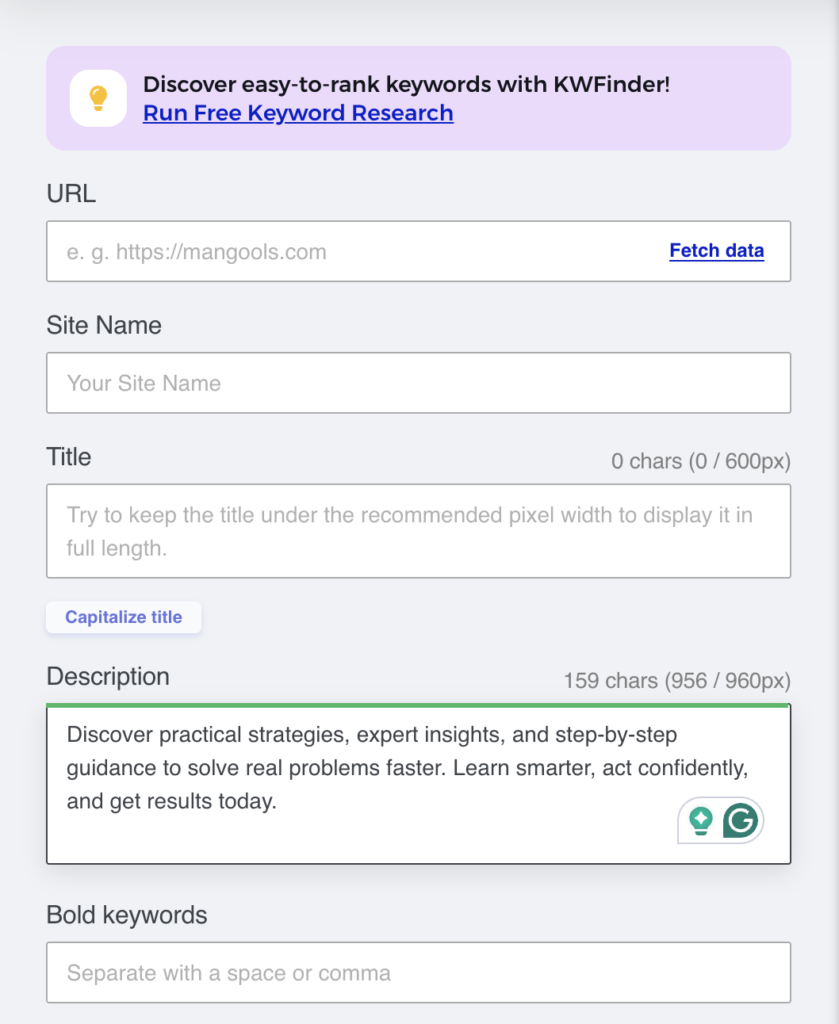
Use dedicated SERP simulators like Mangools SERP Simulator (https://mangools.com/free-seo-tools/serp-simulator), Portent’s SERP Preview Tool, or Moz’s snippet optimizer to test outside WordPress. These tools simulate Google’s display with pixel-accurate precision, showing exactly where truncation occurs on both desktop and mobile.
Mangools SERP Simulator is particularly effective—it provides real-time previews as you type, shows both desktop and mobile views, and accurately reflects how your description will appear in actual search results. Test different character combinations to understand how composition affects display length.
3. Monitor in Google Search Console
Synthesized SEO optimization strategies for meta description Track CTR per query in Search Console’s Performance report. A CTR below 5% for positions 3-5 signals your description isn’t matching user intent.
Use the SEO META in 1 CLICK browser extension to see how your descriptions actually appear, compare them to what Google displays, and spot discrepancies. Big differences mean Google is rewriting yours — adjust accordingly to regain control of your messaging.
Best Practices/Common Mistakes to Avoid
| ✅ | ❌ |
| Keep descriptions 150-160 characters for desktop, 120-130 for mobile | Using the same description across multiple pages – Every page deserves a unique description tailored to its content and target queries. |
| Include primary keyword naturally in the first half | Writing only keywords with no value statements – Integrate keywords into sentences that promise tangible benefits. |
| Make every word count—eliminate filler phrases | Overstuffing brand names – Use character space for value propositions instead. |
| Write unique descriptions for every page | Ignoring mobile truncation – Front-load your hook in the first 120 characters. |
| Match tone to search intent and content type | Leaving the field blank – Always write your own to control messaging. |
| Avoid keyword stuffing | |
| Update descriptions as content evolves | |
| Preview on both desktop and mobile before publishing | |
| Include a soft CTA that matches search intent |
Advanced Tips
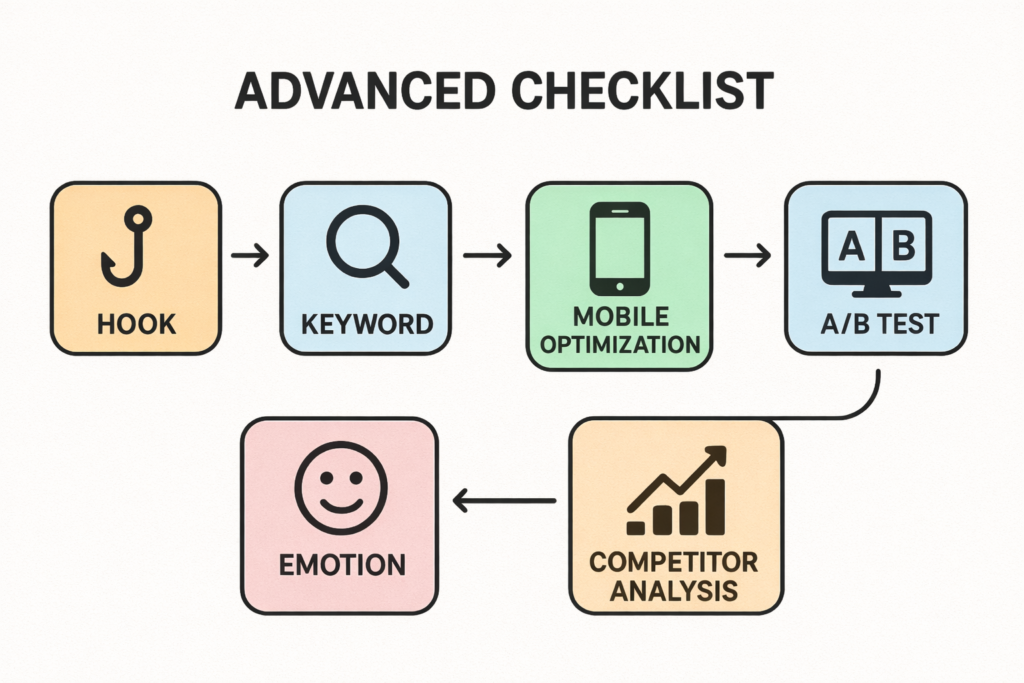
- Front-load the hook. Place your strongest value proposition in the first 100 characters.
- Echo your title without repeating it. Your title establishes the topic; your description expands with context and benefits.
- Use emotional triggers. Words like “save time,” “avoid mistakes,” or “increase conversions” tap into user motivations.
- Optimize for your dominant traffic source. If 70% comes from mobile, prioritize mobile optimization.
- A/B test high-traffic pages. Small CTR improvements create meaningful traffic gains.
- Analyze competitor descriptions. Identify patterns in top-ranking descriptions, then create better versions.
FAQ
What happens if I don’t write a meta description?
Google auto-generates one from your page text. Always write your own to control messaging—even though Google rewrites ~63% anyway, you influence the other 37%.
How do I handle 1000+ product pages?
Use templates with variables: “[Product] – [Feature] | [Benefit]. [Shipping]. [CTA].” Manually write for top revenue products, use templates for mid-tier, accept auto-generation for long-tail.
Does length affect page speed?
No. Meta descriptions are tiny text snippets (150-300 bytes) with zero impact on Core Web Vitals.
How much does a good description improve CTR?
- Positions 1-3: 5-15% boost
- Positions 4-7: 20-30%+ improvement
- Positions 8-10: Less impact
How often should I update descriptions?
Immediately when content changes significantly. Otherwise: top pages quarterly, mid-tier semi-annually, low-traffic annually.
Should I use emojis?
Use for e-commerce, food, or local services (⭐🚚📍). Avoid for B2B, legal, medical, or technical content. Maximum 1-2 emojis, universal symbols only.
Leave a Reply