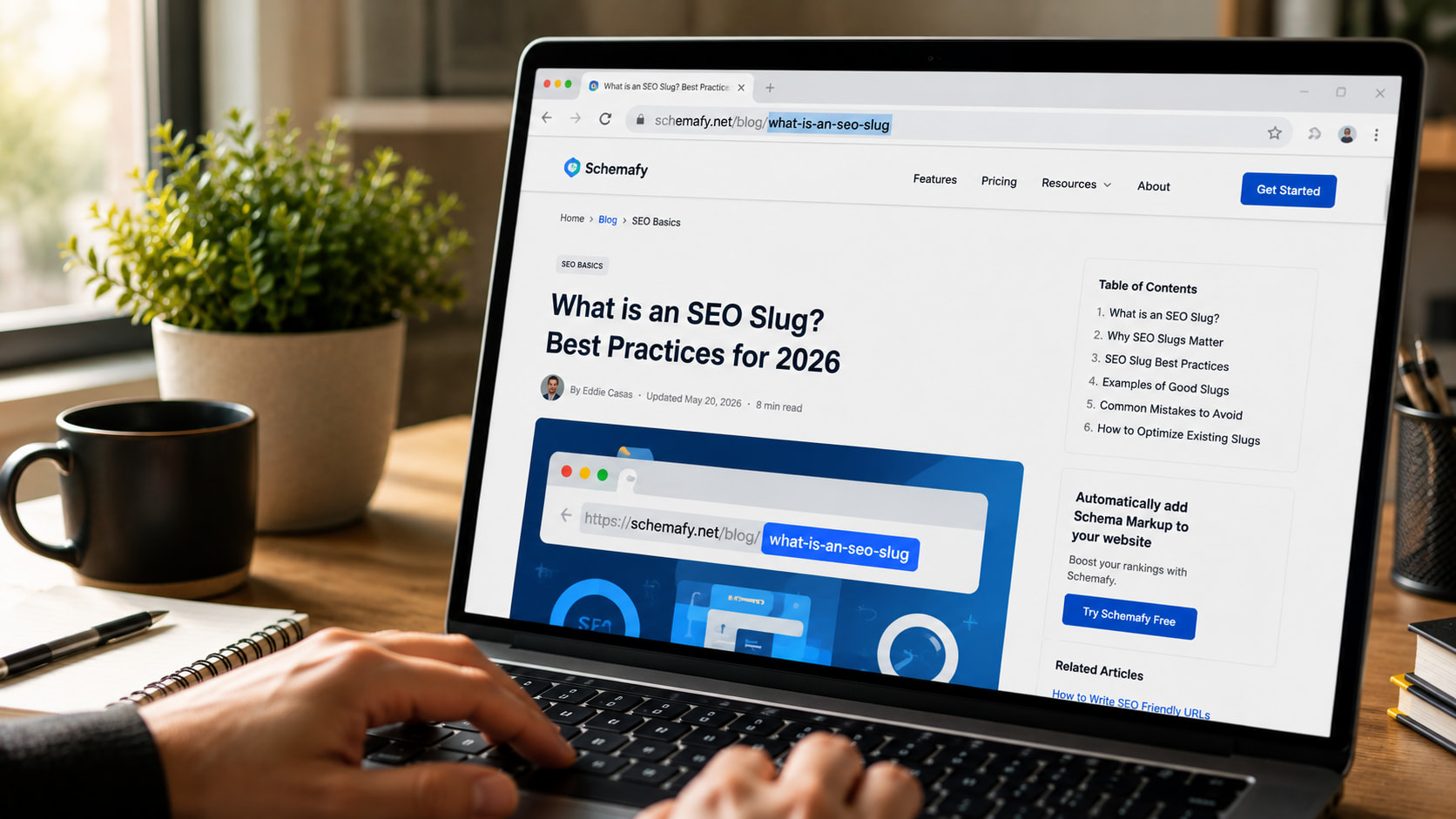
Think of a slug like the label on a shipping box. Google and your readers both read the label before they open the box, which is to say, before they ever click. A slug is a short, readable label at the end of a web address. Get it right once and you stop thinking about it. This guide covers what a slug is, why it matters, and how to write and change one safely.
- What Is a Slug in SEO? (Quick Definition)
- Why SEO Slugs Matter
- What Makes a Good SEO Slug: 7 Best Practices
- Good vs. Bad Slug Examples
- How to Change a Slug in WordPress (Safely)
- Common SEO Slug Mistakes to Avoid
- SEO Slug FAQs
- Final thoughts
What Is a Slug in SEO? (Quick Definition)
An SEO slug is the part of a URL that comes after the domain and identifies a specific page. In schemafy.net/what-is-an-seo-slug, the slug is what-is-an-seo-slug. It’s the human-readable label, written in lowercase words separated by hyphens, that tells users and Google what a page is about before they click.
That label does real work. The domain tells people which site they’re on. The slug tells them which page. A good slug is descriptive enough that you could read it out loud and know roughly what’s on the other end. A bad one is a string of numbers that means nothing to anyone.
Slug vs. URL vs. Permalink: What’s the Difference?
These three terms get mixed up constantly, but they name different things.
| Term | What it is | Example |
|---|---|---|
| URL | The full web address of a page | https://schemafy.net/blog/what-is-an-seo-slug |
| Permalink | The permanent, full URL of a specific post or page | https://schemafy.net/blog/what-is-an-seo-slug |
| Slug | The editable end segment that names the page | what-is-an-seo-slug |
The URL is the whole address. The permalink is that address treated as permanent, the one you’d share or link to. The slug is just the tail end you can edit. Change the slug and you change the permalink.
Why SEO Slugs Matter
The slug helps search engines crawl (read) and index your page, and it gives them a plain-language hint about the topic. Google recommends using simple, descriptive words in your URLs and notes that the words in a URL path can help it understand the page.
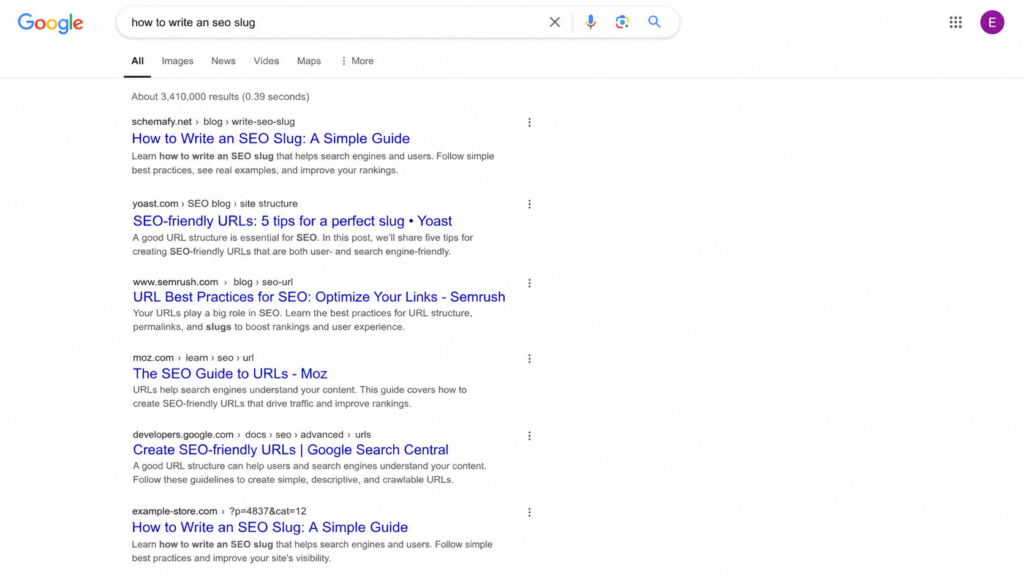
Your slug is also visible. It shows up in search results and in breadcrumb trails, so a clear slug can nudge up your click-through rate. When the URL matches what someone searched for, they trust the result a little more. You can see exactly how a slug reads next to your title and description with a free SERP simulator, the same live preview an SEO plugin like Schemafy shows you before you publish.
Be honest with yourself about the weight here. On its own, a slug is a minor ranking factor, not magic, much like whether meta descriptions affect ranking. What makes slugs worth your time is the effort-to-payoff ratio. A clean slug takes a minute, needs no code, and helps both readers and search engines. That’s about as easy as on-page wins get.
What Makes a Good SEO Slug: 7 Best Practices
A good slug follows seven simple rules, and none of them require code. Here they are.
Keep It Short (3–5 Words)
The sweet spot is 3 to 5 words, or roughly 50 to 60 characters. Shorter slugs are easier to read, share, and remember, and they keep your keyword from getting buried. Trim the fat: /the-complete-ultimate-guide-to-writing-seo-slugs-in-wordpress/ becomes /seo-slugs/ and loses nothing a searcher cares about.
Include Your Target Keyword
Put your main keyword in the slug once, and let it sit there naturally. People are more likely to click a result whose URL matches what they typed, and the match reinforces relevance. One clean use is enough. Repeating the keyword to look “more optimized” is keyword stuffing, and it reads as spam.
Use Hyphens, Not Underscores
This one is a real technical rule, not a style preference. Google treats hyphens as word separators, like spaces, but it does not treat underscores the same way. So seo-slug reads as two words, while seo_slug reads as one word, seoslug. As Search Engine Roundtable notes, Google has recommended hyphens over underscores since 2007, and Google’s own style guide on hyphens treats them as the standard separator. Always use hyphens.
Stick to Lowercase Letters
Some servers treat Page and page as two different URLs. That can split your signals or create duplicate-content confusion for the same content. Keep every slug lowercase and you sidestep the problem entirely.
Remove Stop Words
Words like “a,” “the,” “is,” “in,” “to,” and “and” add length without adding SEO value. Drop them. /how-to-write-a-good-slug/ tightens to /write-good-slug/. The one caveat: keep a stop word if removing it makes the slug confusing to read. Clarity beats brevity when they conflict.
Skip Dates and Years
Avoid baking a year into an evergreen slug. A slug like /seo-tips-2025/ looks stale the moment the calendar flips, and fixing it means changing a live URL, which carries risk (more on that below). If the content isn’t tied to a specific year, leave the year out.
Avoid Special Characters
Spaces, %, &, and accented letters don’t belong in a slug. They either break or get URL-encoded into ugly strings, so a space turns into %20 and a clean address becomes a mess. Stick to lowercase letters, numbers, and hyphens, and nothing else.
Good vs. Bad Slug Examples
The fastest way to internalize the rules is to see bad slugs next to their fixed versions. Each row below breaks one rule, and the good version puts it back.
| Bad slug | Why it’s bad | Good version |
|---|---|---|
/the-ultimate-complete-guide-to-seo-slugs-for-beginners/ | Too long, keyword buried in filler | /seo-slugs/ |
/seo_slug_guide/ | Underscores read as one joined word | /seo-slug-guide/ |
/how-to-write-a-good-slug-for-the-page/ | Stop words add length, no value | /write-good-slug/ |
/SEO-Slug-Guide/ | Uppercase risks duplicate URLs | /seo-slug-guide/ |
/?p=123 | Auto-generated ID means nothing | /seo-slug/ |
The pattern is the same every time. The good versions are short, lowercase, hyphenated, and free of filler. Once you’ve seen a few, you can spot a weak slug on sight.
How to Change a Slug in WordPress (Safely)
Changing a slug in WordPress takes about a minute and doesn’t require touching code. Here’s the whole process.
- Open the post or page in the WordPress editor.
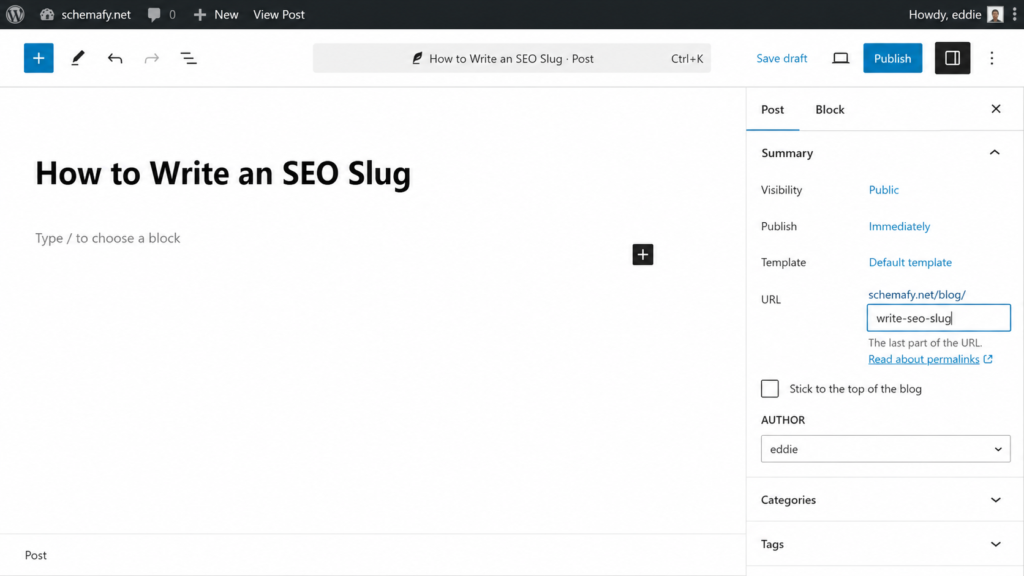
- Find the URL or Permalink field, in the sidebar of the block editor, or just under the title in the classic editor.
- Click Edit and type your new slug in lowercase, with hyphens.
- Update or publish the post to save it.
- Set a 301 redirect from the old slug to the new one (see the next section).
You can edit category and tag slugs too, from Settings, though those change the URLs of your archive pages, so treat them with the same care. If you’re already tidying up on-page details, it’s a good moment to also add a meta description in WordPress for the same page.
Why You Need a 301 Redirect
Here’s the catch that trips people up. Changing a live slug breaks the old URL. Every link pointing at the old address, and the ranking power those links built up, was aimed at that exact URL. Break it and you can lose that value, what SEOs call link equity.
The fix is a 301 redirect, a permanent forward from the old slug to the new one. It hands the old URL’s ranking power to the new page. Most SEO plugins handle this, including Yoast and Rank Math, or you can use a dedicated redirect plugin. Set the redirect the moment you change the slug, not later.
One caveat: if a page already ranks well with an imperfect slug, sometimes the safest move is to leave it alone. Even Google advises against redirecting URLs just to swap underscores for hyphens on pages that are already performing.
Common SEO Slug Mistakes to Avoid
Most slug problems come down to a handful of repeat offenders. Watch for these:
- Leaving the auto-generated
?p=123slug WordPress assigns by default. - Stuffing the same keyword into the slug two or three times.
- Letting slugs run long with the full title and every stop word.
- Changing a live slug without setting a 301 redirect.
- Baking a year or date into an evergreen slug.
None of these is hard to avoid once you know it’s there. Clean slugs are one of the small, compounding habits that, alongside better content and links, help you increase organic traffic over time.
SEO Slug FAQs
A few quick answers to the questions that come up most often about slugs.
Does the slug affect SEO ranking?
Yes, but modestly. A slug helps search engines understand a page’s topic and encourages clicks when it matches a user’s query. It’s a minor ranking signal on its own. A clear, keyword-relevant slug supports rankings, but it won’t outweigh content quality or backlinks.
Should I change slugs on old, ranking pages?
Usually no. Changing a slug on a page that already ranks breaks the old URL and can erase its ranking power. If you must change it, set up a 301 redirect from the old slug to the new one to preserve link equity.
How long should an SEO slug be?
Aim for 3 to 5 words, or roughly 50 to 60 characters. Short slugs are easier to read, share, and remember, and they keep your target keyword front and center. Remove stop words like “the” and “to” to stay concise.
Can a slug have numbers in it?
Yes. Numbers are fine in slugs (for example, /10-seo-tips/). Just avoid auto-generated ID slugs like ?p=123, which mean nothing to users or search engines, and avoid years in evergreen content so the URL doesn’t age.
Final thoughts
A clean slug is one of the cheapest wins in on-page SEO. It takes a minute, needs no code, and gives both readers and search engines a plain-language hint about your page before they commit to a click. It won’t outrank great content or strong links on its own, but it’s a small habit that compounds across every page you publish.
The next step is the part search engines actually lean on to understand a page: structured data and meta tags. Once your URLs read well, that’s where the bigger gains sit. A plugin like Schemafy handles the schema and meta side for WordPress without code, so your pages show up correctly in search once the slug is sorted. If you want to go there next, here’s how schema markup works.
[CTA_DOWNLOAD]
Leave a Reply